


- 11 Jun 2025
The ultimate Mac mini M4 (Pro) guide: what you need to know and how to really make the most of it

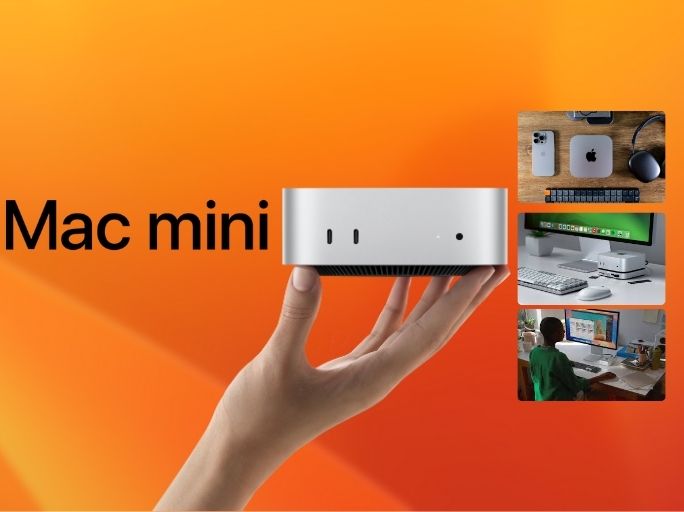
The Mac mini M4 and M4 Pro may be small, but they deliver performance that even some MacBook Pros can only dream of. In this comprehensive blog post, you'll learn why the Mac mini is a smart choice, what advantages it brings, who it’s suitable for — and how the right accessories can instantly solve any possible downsides.
Table of Contents
- Who is the Mac mini for?
- Mac mini vs. MacBook: Why choose the mini?
- Advantages of the Mac mini M4
- Disadvantages of the Mac mini M4 (and how to fix them)
- Comparison table of Mac mini models
- The best accessories for your Mac mini
- Ready for Apple Intelligence
- Carbon-neutral innovation
- Frequently Asked Questions (FAQ)
Who is the Mac mini for?
The Mac mini is perfect for:
- Creative professionals (photo/video editing, music production)
- Developers (Xcode, Docker, web development)
- Home office users (powerful workstation for less money)
- Schools and educational institutions
- Students with an existing monitor looking for a fast Mac
Mac mini vs. MacBook: Why choose the mini?
Compared to the MacBook, the Mac mini offers:
- More computing power for less money
- More ports (especially with hubs)
- Better cooling and performance under load
- Freedom to choose your monitor, keyboard, and mouse
- Flexible placement in your studio, office, or home
Advantages of the Mac mini M4
- Incredible performance: Up to 14-core CPU and 20-core GPU with M4 Pro
- AI-ready: 38 TOPS Neural Engine for Apple Intelligence
- Quiet and energy-efficient: Very quiet operation with low fan noise
- Affordable: Starting at €719 — significantly cheaper than a MacBook Pro
- Compact size: Fits on any desk — even in a drawer
- Carbon neutral: Apple’s most sustainable Mac yet
Disadvantages of the Mac mini M4 (and how to fix them)
Problem 1: No extra HDMI port for a second display
The Mac mini M4 supports multiple displays but has limited HDMI ports.
Fix: Casecentive 8-in-1 HDMI Hub & Stand
- Extra HDMI port for a second monitor
- Supports 4K output via HDMI
Problem 2: No built-in SD card reader
If you use DSLRs, drones, or other SD-based devices, the Mac mini lacks a native card reader.
Fix: Casecentive 7-in-1 Hub & Stand
- Built-in SD card reader
- Easily accessible on the front of the hub
- No additional dongles required
Problem 3: Poor airflow — risk of overheating
The Mac mini lies flat on the desk and draws warm air from the bottom. Under heavy load, this can lead to overheating.
Fix: Casecentive Aluminum Stand
- Raises the Mac mini for better airflow
- Prevents heat buildup under the device
- Ideal for a cool, stable workspace
Problem 4: No Ethernet port on M4 model
Only the M4 Pro (or paid upgrade) includes Ethernet — not ideal for stable networks.
Fix: Casecentive 8-in-1 HDMI Hub & Stand
- Includes Gigabit Ethernet port
- Stable connection for home office or NAS access
Problem 5: No cable management — messy workspace
Without accessories, the Mac mini can become a tangle of cables.
Fix: All three Casecentive stands
- Space underneath for cable routing
- Cleaner desk, better focus
Problem 6: No front-facing ports — inconvenient
All ports are on the back, requiring you to turn the Mac mini around every time.
Fix: Casecentive 7-in-1 Hub & Stand or 8-in-1 HDMI Hub
- Front-facing USB and SD card ports
- No more reaching around for your USB stick
Problem 7: Not ergonomic — everything too low
With external monitor and keyboard, the Mac mini sits too low.
Fix: All three Casecentive stands
- Raise your setup to ergonomic height
- Better posture, less neck strain
Comparison table of Mac mini models
| Model | Mac mini M4 2024 | Mac mini M2 2023 | Mac mini M4 Pro 2024 | Mac mini M2 Pro 2023 |
|---|---|---|---|---|
| CPU | M4 10-Core | M2 8-Core | M4 Pro 12-Core | M2 Pro 10-Core |
| GPU | 10-Core | 10-Core | 16-Core | 16-Core |
| NPU | 38 TOPS | 16 TOPS | 38 TOPS | 16 TOPS |
| RAM | 16 GB | 8 GB | 24 GB | 16 GB |
| Storage | 256 GB | 256 GB | 512 GB | 512 GB |
| Thunderbolt | 3x TB4 | 2x | 3x TB5 | 4x |
| USB | 2x USB-C | 2x USB-A | 2x USB-C | 2x USB-A |
The best accessories for your Mac mini
These three accessories complete your Mac mini setup:
Casecentive 7-in-1 Hub & Stand
Multifunctional hub with USB-C, USB-A, and SD card reader. Raises the Mac mini for improved airflow and keeps your workspace tidy with built-in cable management.
Casecentive 8-in-1 HDMI Hub & Stand
Even more ports: two HDMI, Ethernet, and extra USB connections. Perfect for pros using multiple displays or LAN. All ports easily accessible up front — no more cable clutter.
Casecentive Aluminum Stand
Simple elevation and cable management — no extra ports. Perfect for minimalists.
Ready for Apple Intelligence
The Mac mini M4 and M4 Pro are fully equipped for Apple Intelligence — Apple's new on-device AI layer in macOS Sequoia. With a 38 TOPS Neural Engine, AI features run locally for fast performance and maximum privacy.
From automatic text improvement to image generation and Siri integration with ChatGPT — the Mac mini is ready for the creative future.
Carbon-neutral innovation
This generation of the Mac mini sets a new standard in sustainability. The M4 is the first fully carbon-neutral Mac — made from 100% recycled aluminum with no plastic packaging.
Even its shipping and energy use are optimized for minimal environmental impact. Smart, green, and powerful — this is Apple’s future.
Frequently Asked Questions (FAQ)
Which Mac mini should I choose?
Choose the M4 for general use like work, study, and everyday tasks. The M4 Pro is ideal for video editing, 3D modeling, or demanding AI tasks.
Are Casecentive hubs compatible with older Mac minis?
Yes, as long as the dimensions and ports match. They’re optimized for the M4 series but also work with many M1 and M2 models.
What is Apple Intelligence?
Apple Intelligence is a local AI layer on your Mac — with smart writing tools, image generation, and Siri support via ChatGPT, all processed on-device.
Why doesn't the Mac mini have more ports?
Apple favors a minimalist design. Accessories like the Casecentive hubs expand functionality without compromising aesthetics.
Conclusion: Get the most out of your Mac mini
The Mac mini M4 and M4 Pro prove that true power doesn't require a big footprint. With MacBook Pro-level performance, future-ready AI support, and a sustainable design, this is a compact desktop powerhouse at a great price.
But without the right accessories, you're not unlocking its full potential. The clever hubs and stands from Casecentive fix weaknesses in style — and function.
Whether you’re a student, developer, content creator, or fan of tidy desks: With the right accessories, your Mac mini becomes a full-featured workstation.
Shop Mac mini accessories at SB Supply
- Casecentive 7-in-1 Aluminum Hub & Stand
- Casecentive 8-in-1 HDMI Hub & Stand
- Casecentive Aluminum Stand
Order now and turn your Mac mini into a complete workstation!