
i-tec Thinkpad USB 3.0 Pro Dock
Are you looking for the Lenovo ThinkPad USB 3.0 Pro Dock? We have listed for you the best i-tec replacements for the Lenovo ThinkPad USB 3.0 Pro Dock. In the table below you can see the different i-tec docking stations. We have also selected which one is most similar to the Lenovo ThinkPad USB 3.0 Pro Dock.

 |
|||||
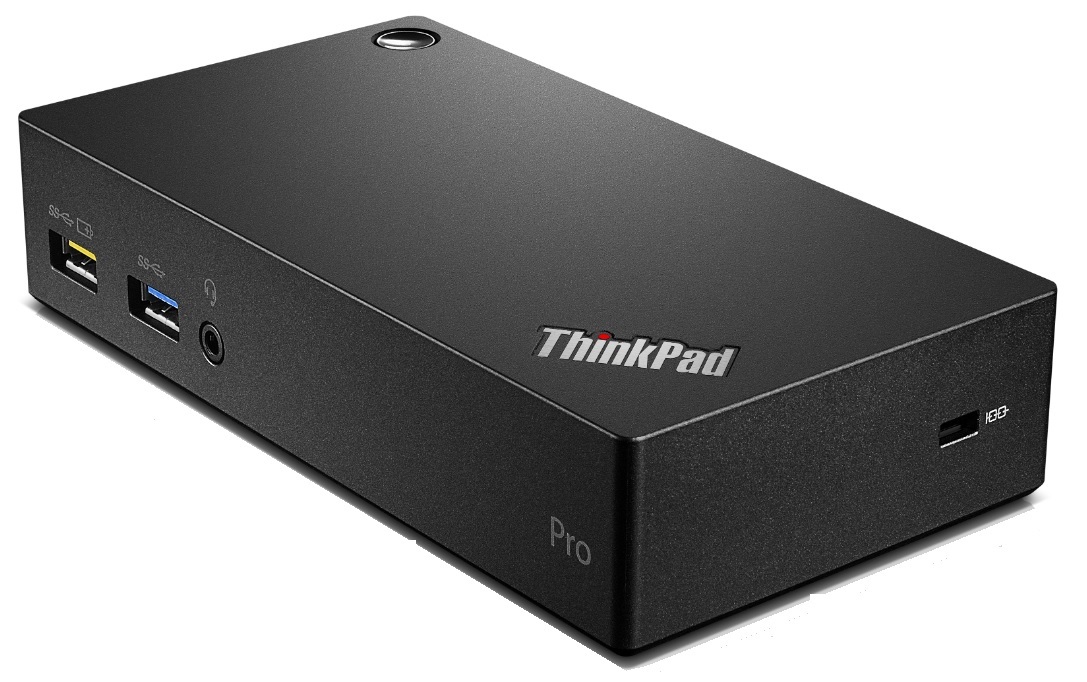
| ThinkPad USB 3.0 Pro Dock 40A70045EU |
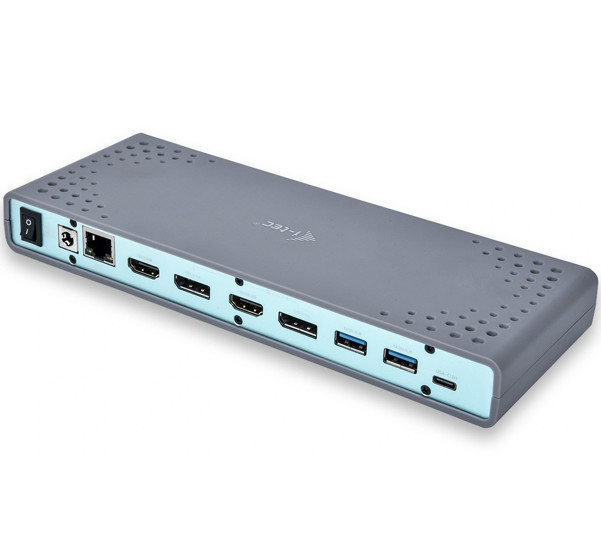
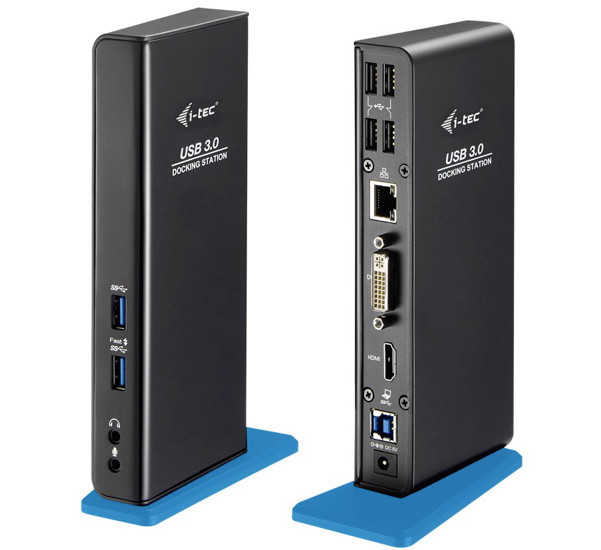
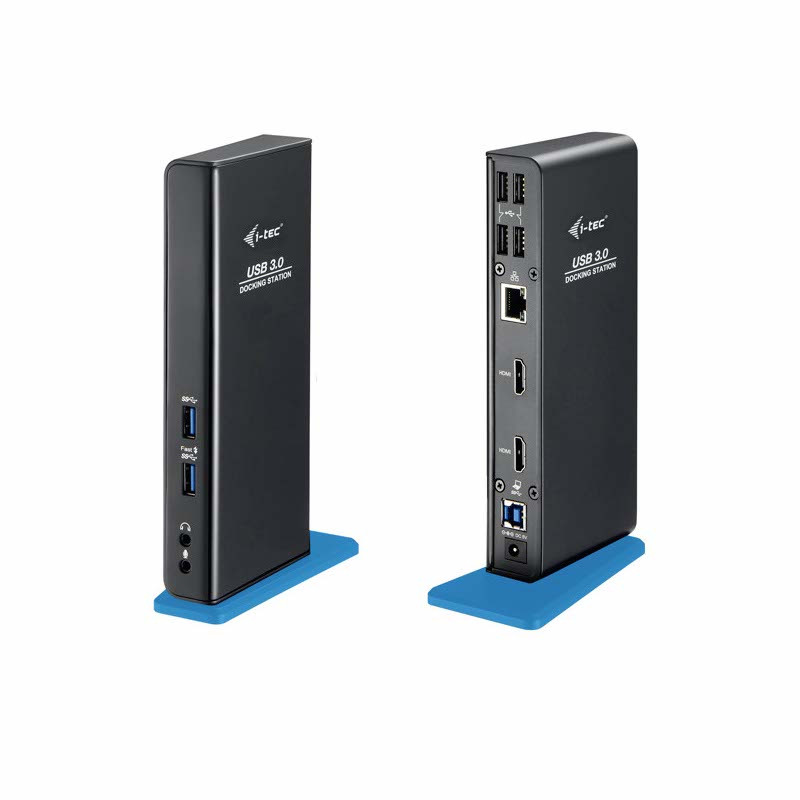
CADUAL4KDOCK | U3HDMIDVIDOCK | U3DUALHDMIDOCK | CADUA4KDOCKPDL | |
| -Technology | DisplayLink | DisplayLink | DisplayLink | DisplayLink | DisplayLink |
| -Power Delivery | – | – | – | – | up to 65 W |
| -Video ports | 1x DVI, 1X DP | 2x HDMI, 2x DP | 1x HDMI, 1x DVI | 2x HDMI | 2x HDMI |
| -Thunderbolt 3 | – | – | – | – | – |
| -USB-C (data) | 0 | 0 | 0 | 0 | 0 |
| -USB 3.1 | 3 | 6 | 2 | 2 | 2 |
| -USB 2.0 | 2 | 0 | 4 | 4 | 4 |
| -LAN* | ✓ | ✓ | ✓ | ✓ | ✓ |
| -Audio | × | ✓ | ✓ | ✓ | ✓ |
| -Mic | × | ✓ | ✓ | ✓ | ✓ |
| -Audio/Mic combi | ✓ | × | × | × | × |
| -Power adapter | 45 W | 40 W | 20 W | 20 W | 20 W |
| -On/off button | ✓ | ✓ | × | × | × |
| -Kensington lock support | ✓ | ✓ | × | × | × |
| -PXE boot** | ✓ (selected platforms only) | ✓ (selected platforms only) | ✓ (selected platforms only) | ✓ (selected platforms only) | ✓ (selected platforms only) |
| -WOL*** | ✓ (1, 2, 3) | ✓ (1, 2, 3) | ✓ (1, 2, 3) | ✓ (1, 2, 3) | ✓ (1,2,3) |
| -MAC Address Cloning | × | ✓ (Docker Pro) | ✓ (Docker Pro) | ✓ (Docker Pro) | ✓ (Docker Pro) |
| -Combine with | Selected Lenovo models | All USB-C / TB3 / USB 3.0 notebooks | All USB-C / TB3 / USB 3.0 notebooks | All USB-C / TB3 / USB 3.0 notebooks | All USB-C / TB3 / USB 3.0 notebooks |
 |
 |
 |
 |
 |
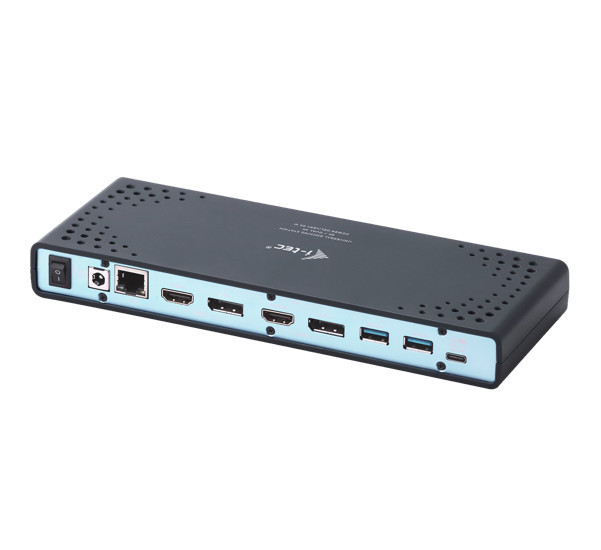 |
| ThinkPad USB 3.0 Pro Dock 40A70045EU |
CADUAL4KDOCK | U3HDMIDVIDOCK | U3DUALHDMIDOCK | CADUA4KDOCKPDL | |
LAN*, LAN is short for "Local Area Network", a LAN cable is the connection between computers, printers, switches, etc. creating a network (LAN).
PXE boot**, PXE is an abbreviation of "Preboot Execution Environment", this is a way to make a computer self-boot over the network, independent of any programs on storage memories (hard disk, CD/DVD, floppy, USB memory).
WOL***, WOL is an abbreviation of "Wake-on-LAN", WOL is an Ethernet networking standard that (sometimes) allows a computer to be remotely powered on or brought out of sleep mode using a magic packet. This is done by sending a network message using a simple program to another computer on the network.