

General

MacBook Pro M5 Pro and M5 Max (2026): These Are the Biggest Improvements

MacBook Pro M5 Pro and M5 Max (2026): These Are the Biggest Improvements

Apple has introduced the new generation MacBook Pro with M5 Pro and M5 Max. These laptops are designed for professionals who need maximum performance for AI workflows, software development, video editing, and 3D rendering. The new chips, faster connectivity, and larger memory options make this MacBook Pro more powerful than ever.
Macbook

Table of contents

  • M5 Pro and M5 Max chips
  • More storage as standard
  • More RAM available
  • Faster memory bandwidth
  • Bluetooth 6 and Wi-Fi 7
  • Who is this MacBook Pro for?
Tip from SB Supply

Get your new charger for the best price here:

https://www.sbsupply.eu/mac-accessoires/adapters/usb-c-chargers

M5 Pro and M5 Max chips

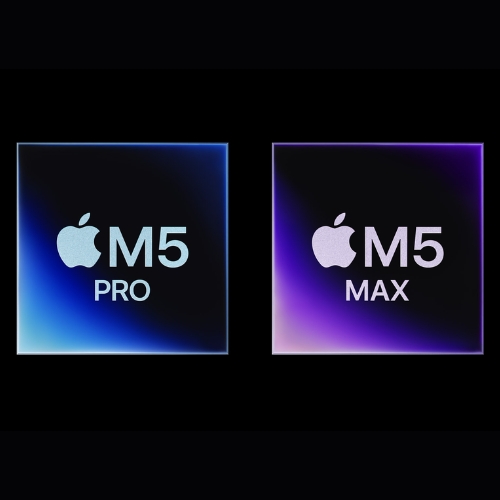
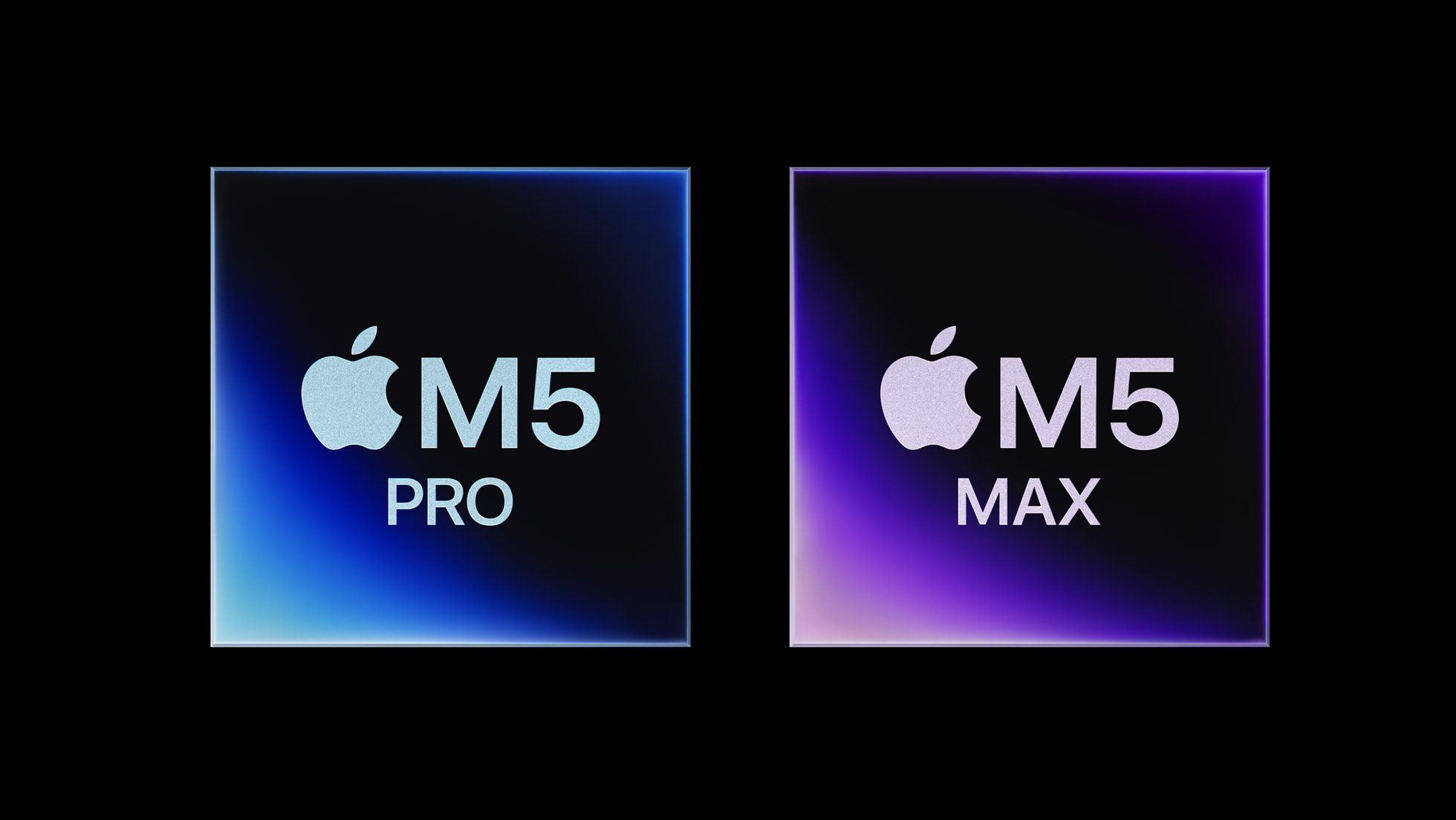
The biggest upgrade of the new MacBook Pro is the introduction of the M5 Pro and M5 Max chips. Apple has further developed the Apple Silicon architecture with a new CPU structure and a more powerful GPU.

The new chips feature a CPU with up to 18 cores, including six so-called supercores. These cores are designed for extremely high single-thread performance, while the remaining cores focus on efficient multitasking.

In professional workloads, this can deliver up to 30% better performance compared to the previous generation M4 Pro and M4 Max.
Chip

More storage as standard

With this generation of MacBook Pro, Apple has also increased the standard storage capacity. While previous models often started with 512GB of storage, the new MacBook Pro with M5 Pro now starts with 1TB SSD storage as standard.

The M5 Max variant goes even further and starts with 2TB of storage. For users working with large projects, storage can be expanded up to 8TB.

This is especially useful for professionals working with large media files, extensive photo libraries, or complex software projects.

More RAM available

The amount of memory has also been expanded. With the M5 Pro, memory can now be configured up to 64GB RAM. The more powerful M5 Max models go even further and support up to 128GB of memory.

More RAM means heavy applications such as video editing software, 3D programs, and AI tools can process much more data simultaneously without the system needing to rely on the SSD.

Macbook

Faster memory bandwidth

One of the biggest advantages of Apple Silicon remains its high memory bandwidth. With the new chips, this has been increased even further.

The M5 Pro offers bandwidth up to 307GB/s, while the M5 Max can reach up to 614GB/s.

This ensures that the CPU, GPU, and memory can exchange data much faster. For workflows such as 4K and 8K video editing, AI models, and complex 3D scenes, this can make a significant difference.

Bluetooth 6 and Wi-Fi 7

The MacBook Pro with M5 Pro and M5 Max also features improved connectivity. Thanks to a new chip, the laptop now supports Bluetooth 6.

This standard provides a more stable connection and lower latency for accessories such as keyboards, mice, controllers, and wireless earbuds/headphones.

In addition, the laptop now supports Wi-Fi 7. This latest Wi-Fi standard enables higher speeds and more stable connections, especially in networks where many devices are active at the same time.

Chip

Who is this MacBook Pro for?

The MacBook Pro with M5 Pro and M5 Max is primarily designed for professionals who work daily with demanding software and large datasets.

Examples include developers, video creators, AI researchers, data analysts, and 3D designers. Thanks to the combination of powerful CPU cores, a fast GPU, and enormous memory bandwidth, the laptop can handle even the most demanding workflows.

For users looking for maximum performance in a portable laptop, the MacBook Pro with M5 Pro or M5 Max is one of the most powerful options currently available.

Quick facts: MacBook Pro M5

Feature M5 Pro M5 Max
CPU Up to 18 cores Up to 18 cores
GPU Up to 20 cores Up to 40 cores
RAM Up to 64GB Up to 128GB
Memory bandwidth 307 GB/s 614 GB/s
Storage 1TB – 4TB 2TB – 8TB
Connectivity Wi-Fi 7 / Bluetooth 6 Wi-Fi 7 / Bluetooth 6

View quick facts

MacBook Pro M5 models
MacBook Pro 14”

M5 Pro chip with extreme performance for developers and creatives.

MacBook Pro 16”

More GPU power and larger battery for heavy workflows.

MacBook Pro slideshow
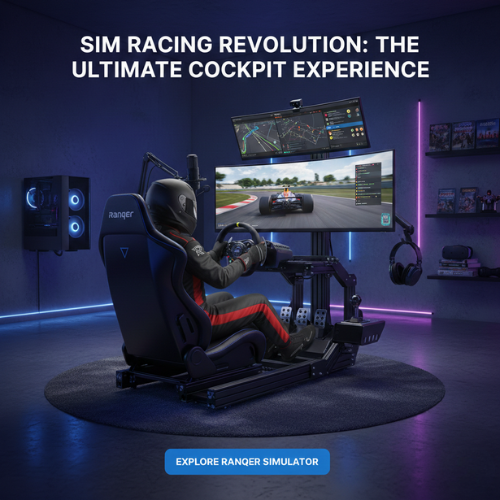
Simracing 2026: transform your simracing experience with comfort, performance and immersion

Contents

Introduction: The World of Simracing in 2026

Simracing is more than just a hobby; it has become a true culture, blending competition, technology, and immersion. In 2026, virtual drivers use high-precision simulators, force-feedback steering wheels, and robust cockpits to replicate the real track experience. In this context, owning a reliable and high-performance cockpit is crucial to improving skills and fully enjoying the thrill of racing.

Today, the simracing market is booming. Events like the SimRacing Expo or online championships attract increasing numbers of participants and spectators. Games like Assetto Corsa EVO, Assetto Corsa Rally, and virtual endurance races continue to captivate, while VR headsets and force-feedback steering wheels provide unprecedented immersion.

  • Steering wheels and pedals with force feedback from top brands: Fanatec, Logitech, Thrustmaster, MOZA, Simagic.
  • Use of modular or foldable cockpits for stability and comfort.
  • Accessories such as monitor mounts or gear shifters to complete the experience.

Why a Stable Cockpit Is Essential

An unstable cockpit can significantly reduce the driving experience. Movements or vibrations when using a force-feedback wheel disrupt control and break immersion. With a stable cockpit, every corner, brake, and acceleration feels exactly like a real track, allowing the driver to focus on performance.

5 Problems Solved by Ranqer

  • Cockpit instability: The ultra-stable structure of the Ranqer keeps the wheel and pedals perfectly firm.
  • Discomfort during long sessions: The ergonomic PU leather bucket seat ensures optimal comfort for hours of driving.
  • Limited compatibility: Works with PC, PlayStation, Xbox, and all major steering wheel brands (Fanatec, Logitech, MOZA, Simagic, Thrustmaster).
  • Complex assembly and adjustments: The Ranqer offers quick setup and customizable adjustments for all sizes and preferences.
  • Equipment protection: Durable, scratch-resistant surfaces protect your wheel, pedals, and cockpit over time.

Features and Benefits of Ranqer

  • Ergonomic bucket seat with PU leather covering, adjustable for maximum comfort.
  • Ultra-stable chassis compatible with all simracing cockpits and Playseat.
  • Quick adjustments to fit all sizes and preferences.
  • Compatible with PC, PlayStation, and Xbox.
  • Easy and secure installation on all types of cockpits.
  • Optional accessories: gear shifter mount and TV/monitor support for full immersion.

How to Set Up Your Ranqer

  1. Unpack and assemble the chassis according to the provided manual.
  2. Install the ergonomic bucket seat and adjust the position to your height.
  3. Attach the steering wheel and pedals to the chassis.
  4. Adjust the seat distance and angle for optimal comfort and ergonomics.
  5. Add optional accessories: gear shifter, monitor, or TV mount.

Simracing Community and Lifestyle

Owning a cockpit like the Ranqer allows not only for simracing practice but also for sharing sessions, streaming races, and joining an active community of enthusiasts. Whether you are a casual player or a competitive virtual driver, the immersive experience is enhanced by a quality cockpit.

Conclusion and Invitation to Discover Ranqer

To improve your virtual driving experience, optimize comfort, and enjoy perfect stability, the Ranqer is the ideal solution. Discover it now and transform your simracing setup into a professional cockpit.

Everything You Need to Know About the New MacBook Neo: Apple’s Newest and Cheapest MacBook

Everything You Need to Know About the New MacBook Neo: Apple’s Newest and Most Affordable MacBook

For many years, Apple has offered two well-known MacBook product lines: the MacBook Air and the MacBook Pro. In the past, there was also an entry-level model simply called the “MacBook,” with the last version being the 12-inch MacBook.

Now Apple is introducing a new member to the MacBook lineup: the MacBook Neo. But what makes this new MacBook different? What features does it offer, and why might this be the right model for you?

Macbook Neo

Apple’s New Entry-Level MacBook Neo at a Glance

The new MacBook Neo 2026 is Apple’s entry-level model that expands the MacBook lineup alongside the MacBook Air and MacBook Pro. With a starting price of €699, it is the most affordable MacBook Apple has released so far.

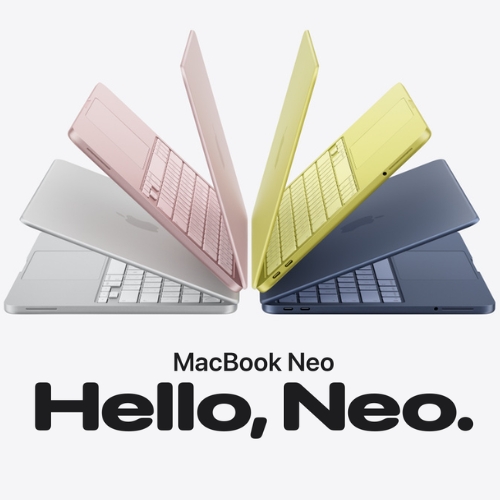
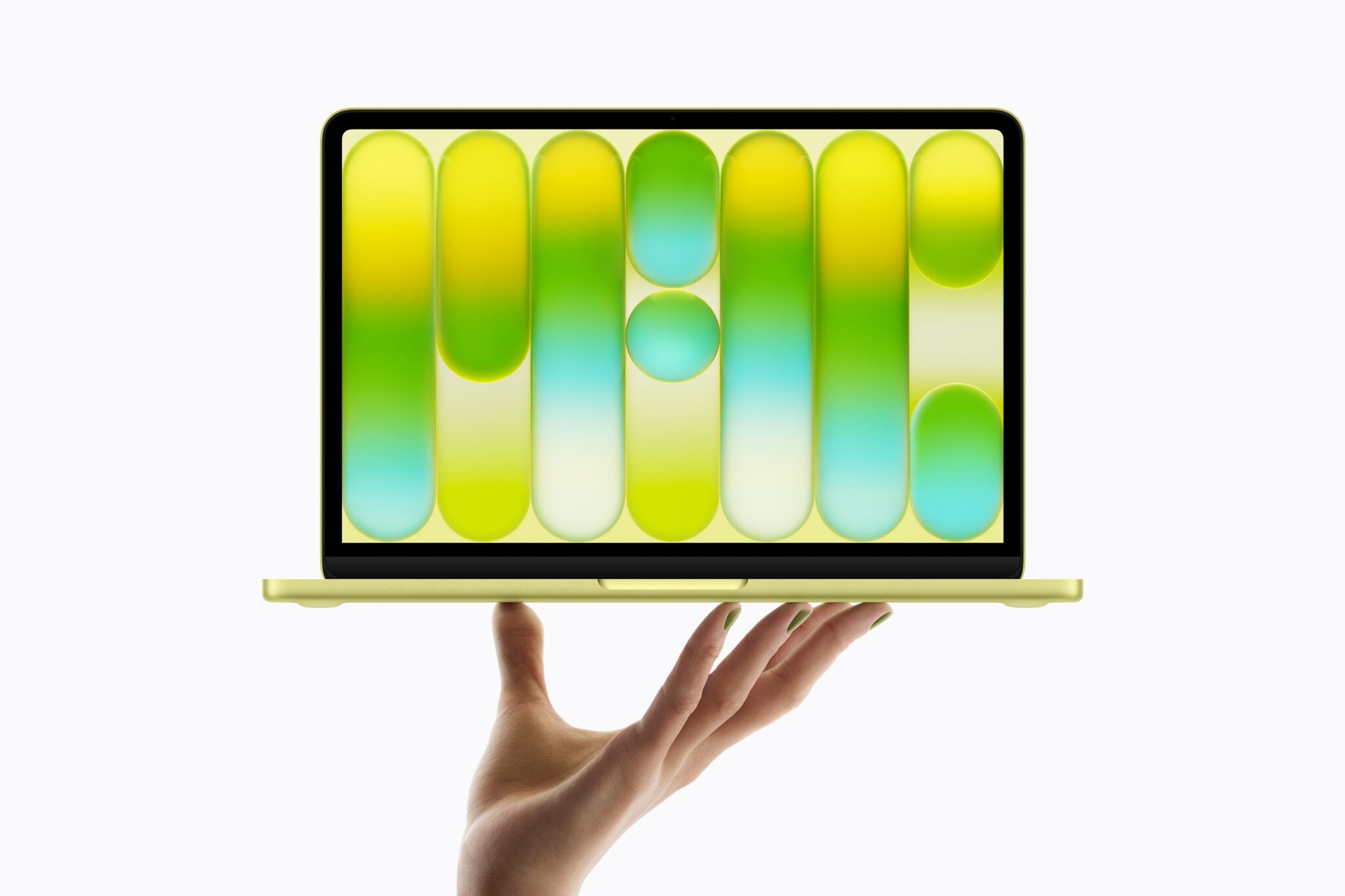
The MacBook Neo runs on the powerful A18 Pro chip, which we already know from the latest iPhones. Its aluminum design is available in four light and vibrant colors, and the 13-inch display provides a compact yet comfortable viewing experience.

In addition, the laptop features two USB-C ports and an impressive battery life of up to 16 hours, making it ideal for anyone looking for an affordable yet capable laptop. The MacBook Neo could even be an alternative to the entry-level iPad for users who want more performance and versatility. The model is expected to launch on March 11, 2026, with a starting price of €699.

Why Apple Is Introducing the MacBook Neo

Apple has enjoyed years of success with the MacBook Air and MacBook Pro, but many laptops from other brands are still significantly cheaper. For example, Chromebooks are widely used in education due to their low price.

With the new MacBook Neo, Apple aims to offer a more accessible entry-level MacBook. This allows the company to better compete with lower-priced laptops while still giving users access to the macOS experience and the broader Apple ecosystem.

Design and Colors

The MacBook Neo features an aluminum design and is slightly more compact than the 13-inch MacBook Air. Weighing around 1.23 kilograms, it remains a lightweight and portable laptop that is easy to carry to school, work, or while traveling.

Apple is releasing this model in several eye-catching colors: silver, indigo, blush, and citrus. This makes it one of the first MacBooks available in such a wide range of vibrant colors.

MacBook Neo kleuren zilver indigo blos citrus

Performance: A MacBook with an iPhone Chip

One of the most notable aspects of the MacBook Neo is that it runs on the A18 Pro chip, a processor also found in the latest iPhones. This chip is powerful enough for everyday tasks such as browsing the web, creating documents, and performing light photo or video editing.

For students, home users, and light business tasks, the MacBook Neo offers more than enough performance. Apple chose this chip to keep the laptop affordable while still delivering solid performance for daily use.

Apple A18 Pro chip MacBook Neo

Key Specifications

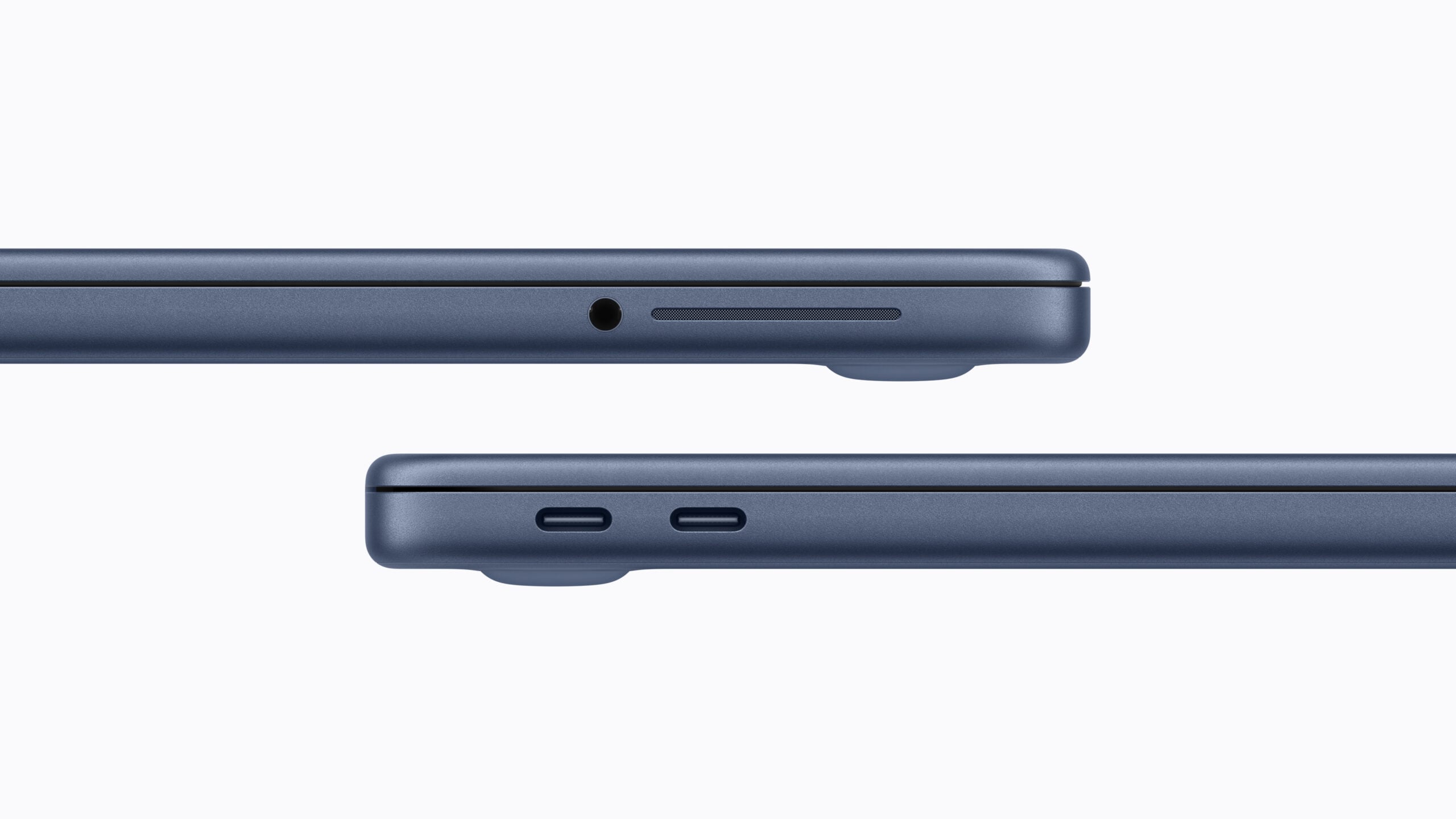
The MacBook Neo comes with a 13-inch display, 8GB of RAM, and at least 256GB of storage. The laptop includes two USB-C ports, a headphone jack, and a 1080p FaceTime camera.

It also offers a battery life of up to 16 hours of video streaming and about 11 hours of wireless web browsing, allowing you to work throughout the day without needing to recharge.

MacBook Neo usb-c poorten en aansluitingen

Price and Release

The MacBook Neo is the most affordable MacBook Apple has released so far. The entry-level model with 256GB of storage costs €699, while the version with 512GB of storage costs €799.

Apple announced the laptop on March 4, 2026, and the official release is scheduled for March 11, 2026. From that moment, the MacBook Neo will be available in the Netherlands and Belgium.

Is the MacBook Neo Worth Buying?

The new MacBook Neo offers an affordable entry into the Apple ecosystem, featuring a lightweight and compact design, vibrant colors, and a battery that easily lasts all day. Thanks to the A18 Pro chip, it is powerful enough for everyday tasks such as browsing the web, creating documents, and light photo or video editing.

If you are looking for a budget-friendly MacBook without too many extras, the MacBook Neo is an attractive alternative to the more expensive MacBook Air. For students, home users, or anyone who wants a compact laptop with Apple quality, it is definitely worth considering.

In short, the MacBook Neo combines a competitive price with the familiar Apple experience, making it an excellent choice for anyone looking for an entry-level MacBook.

iPhone 17e vs iPhone 16e: A Fair Comparison


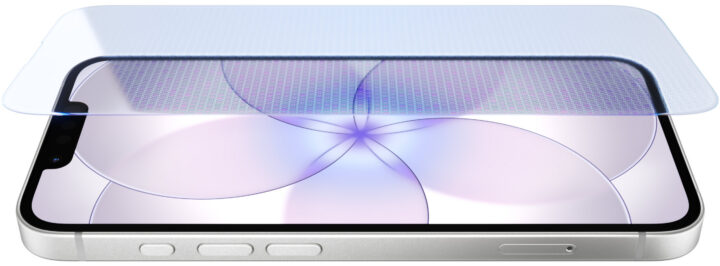
Ceramic Shield iPhone 17e

The iPhone 17e is Apple’s latest budget-friendly smartphone, building on the iPhone 16e with several meaningful upgrades. While the design remains familiar, the 17e introduces improvements in durability, performance, connectivity, and ecosystem compatibility, making it a strong contender for users seeking an affordable iPhone without sacrificing key features.

For those upgrading from older models or exploring the iPhone ecosystem for the first time, the 17e offers practical improvements while maintaining a competitive price. Unlike the premium iPhone 17 models, the 17e focuses on essential upgrades, providing a reliable, efficient, and modern device suitable for everyday use.

In this article, we’ll compare the iPhone 17e and iPhone 16e side by side, covering the display, chipset, connectivity, camera, storage, design, and accessories. By the end, you’ll know whether upgrading is worth it or if your current 16e is still a solid choice. For full details, you can also visit the official Apple iPhone 17e page.


Screen & Durability

One of the standout upgrades in the iPhone 17e is the screen. Apple has implemented Ceramic Shield 2, offering up to three times better scratch resistance compared to the iPhone 16e. This ensures the device is more durable for daily use, while maintaining the sleek, glassy design typical of Apple devices.

The 17e keeps the 6.1-inch Super Retina XDR OLED display from the previous generation, with a 60Hz refresh rate. While it doesn’t include the always-on display found in higher-end iPhone 17 models, it delivers vibrant colors, deep contrast, and excellent brightness for media, apps, and daily tasks.

  • Ceramic Shield 2: Provides superior scratch and drop resistance.
  • OLED Technology: Deep blacks, bright highlights, and accurate colors.
  • Anti-Reflective Coating: Reduces glare for better outdoor visibility.
  • True Tone & Wide Color: Ensures natural color representation across lighting conditions.

Overall, while the screen size and resolution remain the same as the iPhone 16e, the improved durability and reduced glare make the 17e a more practical and long-lasting option for budget-conscious users.


Performance & Chipset

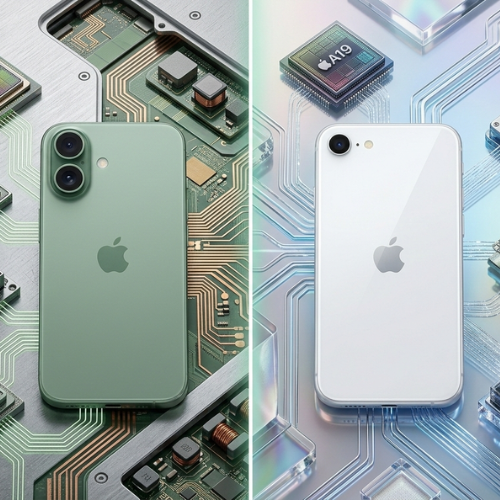
A19 chip

The iPhone 17e is powered by a modified A19 chip, the same processor used in the standard iPhone 17 but slightly optimized for the budget model. The 17e has one fewer GPU core, offering slightly lower graphics performance, but still delivers fast, smooth operation for most everyday tasks, from social media to streaming and casual gaming.

Compared to the iPhone 16e, which used a trimmed-down A18 chip, the A19 provides faster app loading, smoother multitasking, and enhanced AI capabilities. Apple’s Neural Accelerators handle image recognition, smart photo editing, and intelligent iOS suggestions more efficiently, giving the 17e a notable edge in performance.

  • CPU & GPU: Faster processing and improved graphics for daily tasks.
  • AI Enhancements: Smarter image recognition and app assistance.
  • Energy Efficiency: Optimized performance with minimal impact on battery life.
  • Overall Speed: Faster app launches and smoother multitasking than the iPhone 16e.

These upgrades make the iPhone 17e feel significantly snappier than the 16e, offering a better experience for users who rely on their phone for photography, video streaming, and productivity.

5 Tips to Get Your Kids to Drink More Water

Hydration: 5 Tips to Encourage Your Kids to Drink More Water

Whether at school, during sports activities, or while doing homework, kids have busy days and often forget to drink enough water. Fortunately, there are simple ways to make staying hydrated fun and consistent. With these 5 tips, you can help your children stay hydrated while enjoying the process!

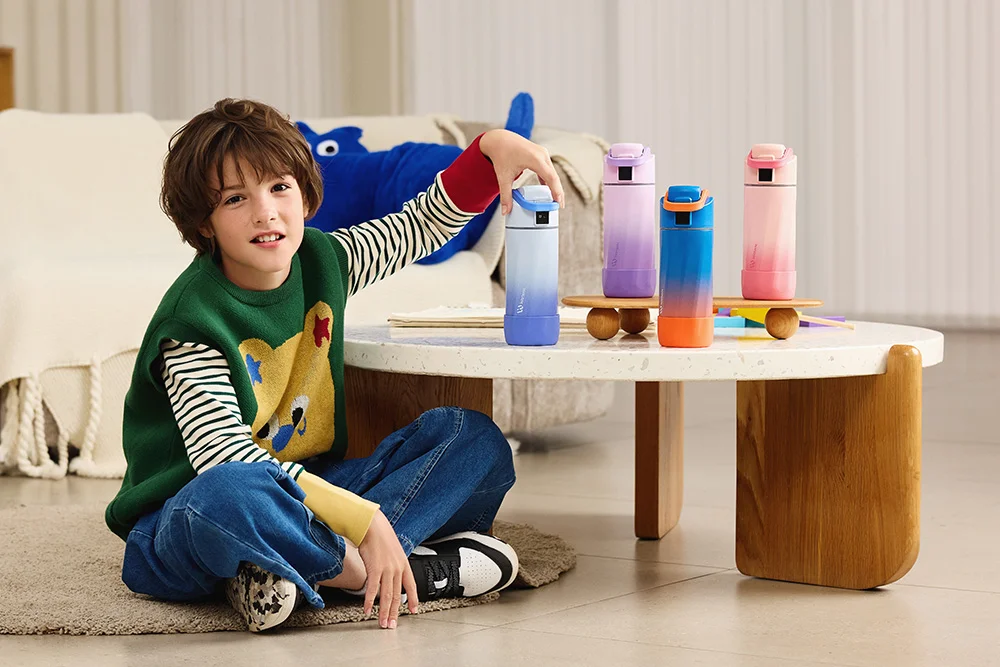
WaterH bottle for kids

Why Hydration is Important for Kids

When children don’t drink enough water, their focus and energy can quickly drop. Dehydration can cause headaches, fatigue, and decreased performance at school or during daily activities. Encouraging your kids to drink regularly is essential for their well-being and learning.

A great way to motivate them is to use products designed for children, such as WaterH bottles, which make drinking water more fun and accessible throughout the day.

Tip 1: Keep Water Within Reach

Kids often forget that they’re thirsty. To help them, place water bottles or pitchers in different areas at home: on the dining table, near their desk, or even in the living room. Simply seeing water available encourages them to drink more frequently.

Tip 2: Choose Practical and Fun Bottles

Giving your child a suitable water bottle encourages them to drink regularly, especially when on the go. The WaterH Boost Kids is perfect for school or sports activities. Durable, colorful, and ergonomic, it makes hydration fun and easy anytime.

Kid drinking water from a cup

For parents or older kids, the adult version WaterH Boost Adult is available, helping set a good example and making family hydration a shared, fun habit.

Tip 3: Naturally Flavor the Water

Sugary drinks should be avoided: they don’t properly hydrate and can reduce a child’s concentration. To make water more appealing, try adding natural flavors like lemon slices, berries, or mint leaves. This way, water becomes a healthy and delicious alternative to soda and processed juices.

Tip 4: Turn Hydration Into a Game

Drinking water doesn’t have to be boring! Use fun-shaped ice cubes, colorful straws, or personalized bottles to spark your child’s interest. Involving them in the preparation makes every sip interactive and enjoyable.

Tip 5: Create a Family Hydration Challenge

Make hydration a fun family challenge. Each member can track their water intake and motivate each other. Rewards can be symbolic, such as choosing the evening movie, a dessert, or a special family activity. This strengthens family bonds while encouraging everyone to drink more water.

Conclusion: Make Hydration a Habit

Regular hydration is essential for your child’s health, focus, and energy. With simple tips, the right bottles like WaterH, and a bit of creativity, you can turn drinking water into a fun and educational habit. Together, parents and children can make staying hydrated a healthy, lasting routine.

Explore the full WaterH range and accessories at WaterH on SBSupply and choose the bottle that best suits your family’s needs.

Finding What You’ve Lost:Bags, and Belongings with LIFEMATE

How to Find Your Lost Luggage – Fast & Easy Guide (2025)

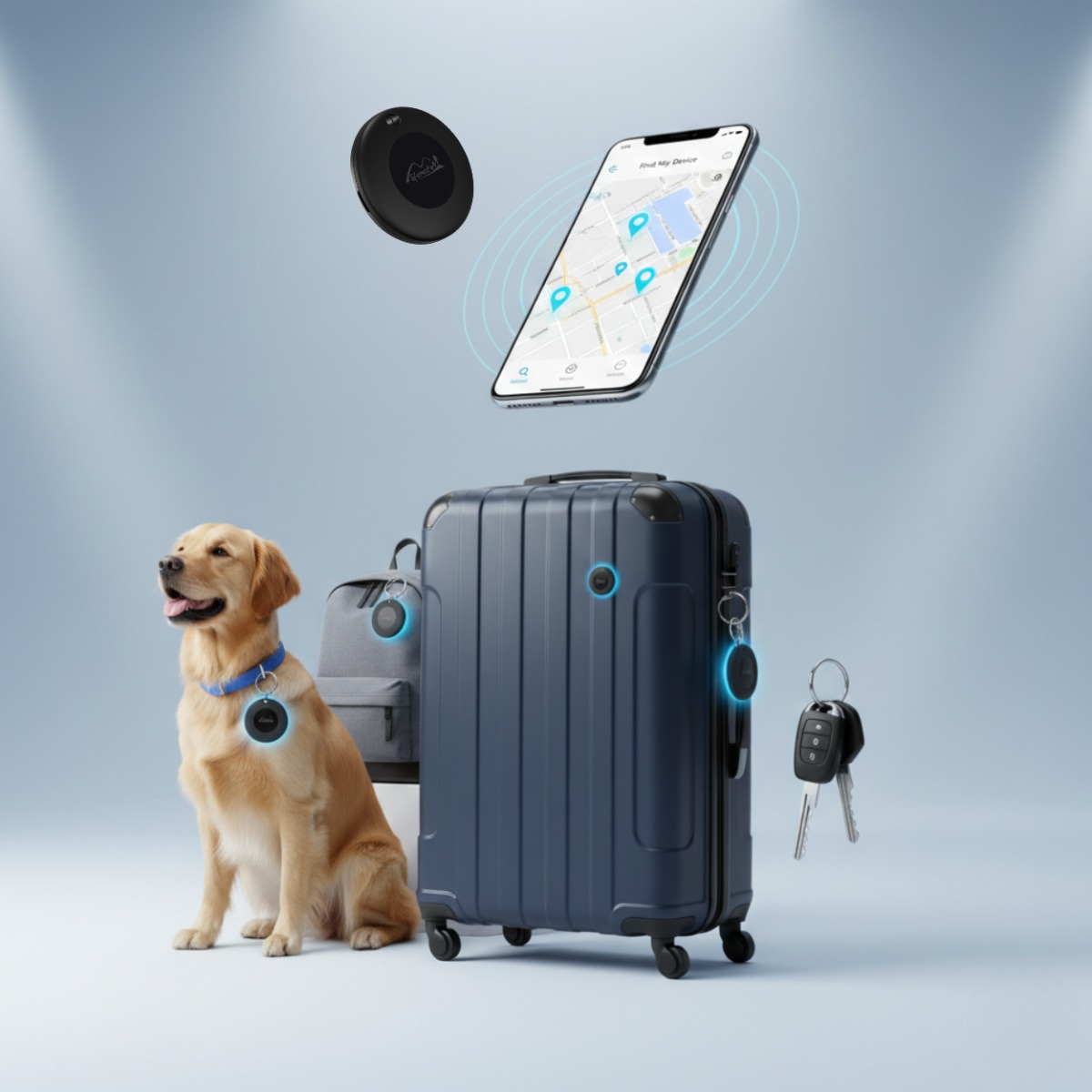
How to Find Your Lost Luggage with Lifemate Life Tag

Why Suitcases and Bags Get Lost

Losing your suitcase is more common than you might think. Delays, busy airports, and luggage mix-ups all contribute to missing bags. Travelers often misplace their luggage during check-in, transfers, or while storing it in overhead compartments. Even careful travelers can experience lost luggage.

Quick Answer

The fastest way to locate your missing luggage is to use a Lifemate Life Tag tracker attached to it. Open the Lifemate app to see its location in real-time and use the built-in alarm if it’s nearby. Lifemate helps you recover your bags quickly and prevents future losses.

Step-by-Step: How to Find Your Luggage with Lifemate

  1. Open the Lifemate app: Launch the Lifemate app on your smartphone to see the real-time location of your luggage.
  2. Check the last known location: View the GPS coordinates logged by your Lifemate tracker to quickly identify where your luggage was last detected.
  3. Use the tracker’s alarm: Activate the 100 dB alarm through the app to locate your luggage if it’s nearby, even in crowded areas like baggage claim or hotel lobbies.
  4. Share location if needed: Share the tracker’s location directly from the app if someone else can help retrieve your luggage faster.
  5. Use 2-pack trackers for multiple suitcases: Attach the Apple 2-pack or Android 2-pack to all your bags for simultaneous tracking.

Why Lifemate is Better than AirTag / Others

Feature Lifemate Life Tag Apple AirTag
Network Google Find My / Android & iOS Apple Find My
Privacy Encrypted via Lifemate system Encrypted via Apple
Waterproofing IP67 IP67
Battery Life 8–12 months ~1 year
Extra Features Compact design, easy setup Ultra-Wideband, Precision Finding

FAQs

  • How long does it take to find a lost suitcase?
  • Can airports track my luggage?
  • What is the best tracker for suitcases?
  • How do I attach a Lifemate tracker to my bag?
  • Does the Lifemate work with both Android and Apple devices?
  • Can Lifemate alert me if my luggage moves unexpectedly?
  • Is Lifemate waterproof?
  • How do I replace the Lifemate battery?
  • Can multiple Lifemate trackers be used together?
  • Where can I buy Lifemate trackers in the EU?

Travelers who want extra assurance can check out our other blogs: How to set up Lifemate, General Lifemate FAQ, and AirTag vs LifeTag: Which Bluetooth Tracker is Best for You?.

For more options or to purchase, visit the main Lifemate store page.

How to remove greasy fingerprints from your car display – and why WHOOSH! is the only right choice

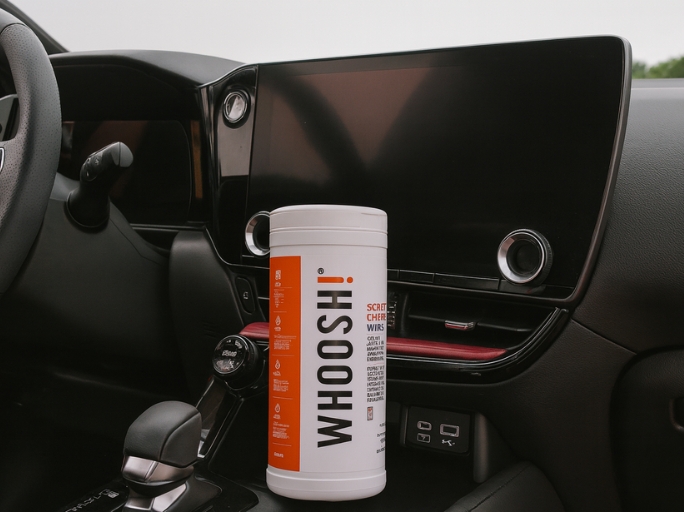
Car display cleaning

Modern cars are full of digital displays: infotainment, navigation, and climate control – all via touchscreen. Convenient, but in no time they’re covered with fingerprints and dust. Discover why WHOOSH! is the solution for a streak-free clean car display – and why other brands simply can’t compete.


Table of Contents


Why you shouldn’t use regular cleaning products

Many people just grab some glass cleaner or kitchen paper. Mistake! Ordinary cleaners contain alcohol, ammonia, and harsh chemicals that damage the delicate coating of your display. This causes the screen to lose its shine, develop spots, or become less responsive to touch.

  • ❌ Alcohol or ammonia damages the protective layer
  • ❌ Residues attract dust
  • ❌ Streaks and dull spots are hard to remove

What you need is a safe, residue-free, and alcohol-free cleaner developed specifically for electronics – like WHOOSH!.

The secret of Apple – WHOOSH! explained

Did you know that Apple uses WHOOSH! in its stores worldwide? Their screens must be spotless – without smudges or damage. The WHOOSH! formula is 100% free from alcohol, ammonia, dyes, and fragrances, yet gives your screen a shine like it’s fresh from the factory.

Thanks to its antistatic and streak-free formula, your screen stays clean longer and never feels greasy. Ideal for car displays, tablets, smartphones, and laptops.

How to clean your car display – explained by car brand

Each car brand uses different coatings and finishes for their screens. That’s why each one requires a specific cleaning method. Here’s how to safely clean your car display with WHOOSH! – without scratches, streaks, or damage.


How to clean your Tesla display

Tesla screens are large, crystal clear, and prone to fingerprints. Use WHOOSH! with a soft microfiber cloth for a spotless result.

  • Turn off the display or activate “Screen Clean Mode.”
  • Spray WHOOSH! onto the cloth, not directly on the screen.
  • Wipe gently in smooth motions – without pressure.
  • Polish with a dry corner of the cloth for extra shine.

Tesla’s screen coating is sensitive to alcohol and ammonia. WHOOSH! is completely alcohol-free and specially designed for delicate surfaces.


How to clean your BMW display

BMW screens with a high-gloss finish quickly attract dust and fingerprints. Clean them easily with WHOOSH! for a streak-free result.

  • Turn off the engine so the screen stays cool.
  • Apply WHOOSH! to the cloth, not directly on the screen.
  • Wipe in circular motions and polish afterward.

Thanks to WHOOSH!’s antistatic formula, your screen stays cleaner and dust-free for longer.


How to clean your Mercedes-Benz display

Mercedes screens are curved and have sensitive coatings. Always use WHOOSH! for safe, residue-free cleaning.

  • Apply the product to the cloth, not the screen.
  • Wipe from the inside out to prevent moisture buildup.
  • Let the screen dry briefly for a perfect shine.

Unlike other cleaners, WHOOSH! leaves no greasy film and is 100% safe for coatings.


How to clean your Volkswagen display

Volkswagen screens have a smooth top layer that easily shows smudges. WHOOSH! removes grease and dust without streaks or gloss enhancers.

  • Use light pressure for an even result.
  • Avoid products containing alcohol or silicone.
  • Polish with a dry cloth for a natural shine.

With WHOOSH!, your screen keeps its original look – clear, clean, and professional.


How to clean your Audi display

Audi screens combine glass with haptic touch technology. WHOOSH! cleans thoroughly without affecting touch sensitivity.

  • Wipe in one direction (from left to right) for even cleaning.
  • Use only a small amount – a thin layer is enough.
  • Polish with a dry cloth for a streak-free finish.

WHOOSH! ensures a clear, spotless display with no residue that interferes with touch sensitivity.


Extra tip for all car brands

Always keep a pack of WHOOSH! wipes in your car. That way, you can clean quickly on the go – no streaks, no spray, no risk.


Comparison: WHOOSH! vs. other brands

Let’s be honest: there are countless cleaners on the market – from cheap bottles to big-name brands. But how do they really compare to WHOOSH!?

Feature WHOOSH! With alcohol With chemicals Cheap store brand
Alcohol-free ✅ Yes ❌ No ❌ No ❌ No
Antistatic effect ✅ Yes ❌ No ❌ No ❌ No
Approved by Apple ✅ Yes ❌ No ❌ No ❌ No
Residue-free result ✅ Yes ❌ No (leaves film) ❌ Sometimes streaks ❌ Often streaks
Safe for touchscreens ✅ Yes ⚠️ Limited ⚠️ Glass only ❌ No

Conclusion: WHOOSH! is the only cleaner that truly gets your display spotless – without risk of damage. No alcohol, no streaks, no worries – just a crystal-clear screen.

The best WHOOSH! products for your car

Whether you drive a Tesla, BMW, Volkswagen, or Peugeot – WHOOSH! has the perfect product for your infotainment system:

Step-by-step: How to properly clean your car display

  1. Turn off the display – this helps you see the smudges better.
  2. Spray WHOOSH! onto a microfiber cloth, not directly on the display.
  3. Wipe gently in circular motions.
  4. Polish with a dry corner of the cloth.
  5. Enjoy a streak-free, shiny display – just like new.

SB Supply – exclusive distributor of WHOOSH! in Europe

SB Supply is the exclusive importer of WHOOSH! in Europe. We bring the officially Apple-approved screen cleaner straight to your car, office, or device. Whether ordering individually or in bulk – our team is here for you.

Discover the WHOOSH! revolution today and experience the difference between clean and truly clean.

View all WHOOSH! products at SB Supply

Apple watch Ultra 3: Strength, precision and innovation in one device

Image description

Apple Watch Ultra 3: Performance, Precision, and Innovation in One. With the Apple Watch Ultra 3, Apple once again sets new standards in the world of smartwatches. While previous models already impressed with their robustness and versatility, the Ultra 3 takes it a step further. The watch combines an improved design, longer battery life, and intelligent health sensors with new features that appeal to adventurers, athletes, and professionals alike.


Design and Build Quality

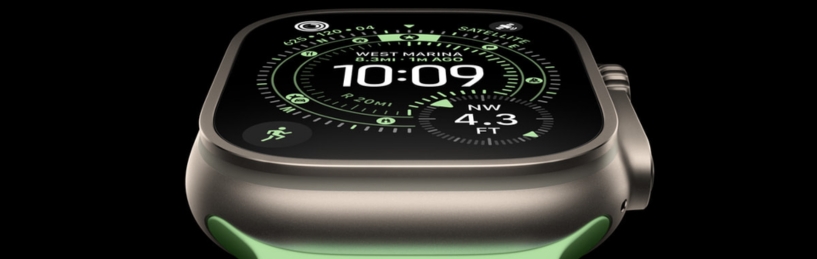
The Apple Watch Ultra 3 stays true to its distinctive and rugged look. The titanium case ensures maximum durability while still feeling surprisingly light on the wrist. The larger and brighter display with thinner bezels makes reading information easier – even in direct sunlight. Thanks to sapphire glass, the Apple Watch Ultra 3 is also better protected against scratches – a major advantage for those who use the watch under extreme conditions.

Apple has made the watch water- and dust-resistant up to 100 meters, making theApple Watch Ultra 3 perfect for diving, swimming, or adventurous expeditions in demanding environments. It’s clearly a watch built to withstand a lot – ideal for anyone who likes to test their limits.

The Most Important New Features

1. Enhanced Health and Fitness Features

With the Apple Watch Ultra 3, Apple places a stronger focus on health. The watch introduces advanced hypertension alerts that can provide early indications of your blood pressure. This is valuable for both athletes and health-conscious users. The new sleep evaluation also offers deeper insights into the quality of your sleep, helping you make more informed decisions about your recovery.

Proven features like ECG, heart rate monitoring, and blood oxygen measurement remain, but the Apple Watch Ultra 3 clearly takes health tracking to a new level.

2. Longer Battery Life

The battery lasts up to 42 hours with normal use and even up to 72 hours in power-saving mode. This means you can go several days without charging – perfect for long hikes, weekend trips, or busy workdays. Thanks to fast charging, you can also get enough power for a full day in just 15 minutes.

3. New Sensors and Software

The accuracy of the GPS has been further improved, providing even more precise measurements when running, cycling, or hiking. Also new is the Workout Buddy – an intelligent software feature that coaches and motivates you during your workouts. It’s like having a personal trainer on your wrist who cheers you on and gives you tips.

4. Satellite Communication

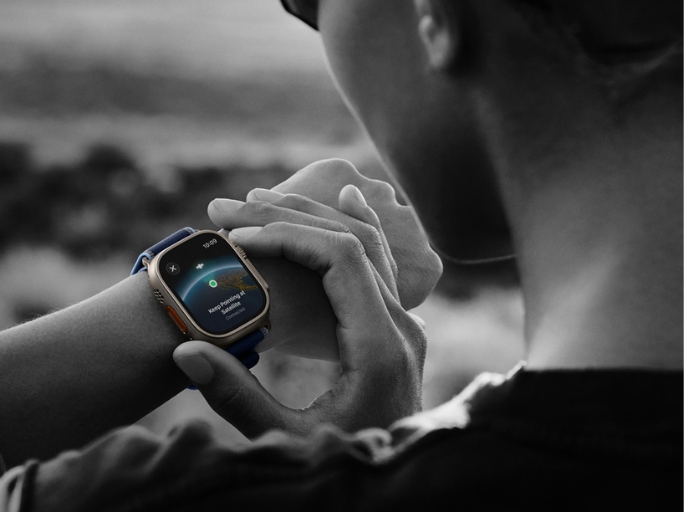
Perhaps the biggest innovation is the introduction of satellite communication. This allows you to send emergency messages or share your location – even without cellular reception. For adventurers, climbers, or travelers in remote regions, this represents a major leap forward in safety.

Comparison with Previous Models

Apple Watch Ultra 2: Although the Ultra 2 was already an impressive smartwatch, the Apple Watch Ultra 3 stands out with longer battery life, a brighter display, and additional health and safety features. The satellite communication, in particular, makes the difference here.

Regular Apple Watch Series: Perfect for everyday use, but they lack the rugged build, extended battery life, and special functions that make the Ultra series unique. For true adventurers and ambitious athletes, the Apple Watch Ultra 3 remains the better choice.

Who Is the Apple Watch Ultra 3 For?

The Apple Watch Ultra 3 is clearly designed for users who want more than a standard smartwatch. For example:

  • Adventurers who use their watch under extreme conditions – from diving to mountain climbing.
  • Athletes who value precise data, coaching, and intelligent training analytics.
  • Health-conscious users who benefit from features like blood pressure alerts, sleep reports, and continuous monitoring.
  • Professionals and travelers who rely on long battery life and the added safety of satellite communication.

It’s also a logical choice for dedicated Apple fans who always want the newest and best.

Conclusion: Value for Money

The Apple Watch Ultra 3 is a premium smartwatch with a correspondingly high price, but the added value is clearly noticeable. It offers a unique combination of style, durability, health tools, and safety. Especially for people who travel a lot or play sports, it’s an investment that pays off every day.

While the regular Apple Watch remains ideal for everyday use, the Apple Watch Ultra 3 is unmistakably a watch for those who want more and push their limits. The longer battery life, new sensors, and satellite communication make it not only practical but, in some situations, even life-saving.

In short: The Apple Watch Ultra 3 is much more than just a gadget – it’s a reliable companion for sports, work, and adventure. A watch that proves innovation and practical usefulness can go hand in hand.

Loading...
Loading...
TOP