


Blog

  • 19 Jan 2026

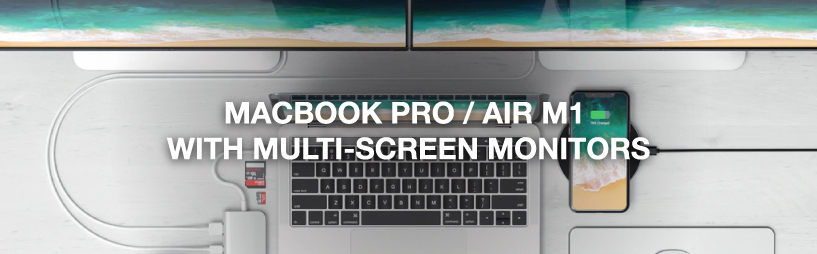
Anschließen mehrerer Monitore an das Macbook Pro / Air M1 / M2

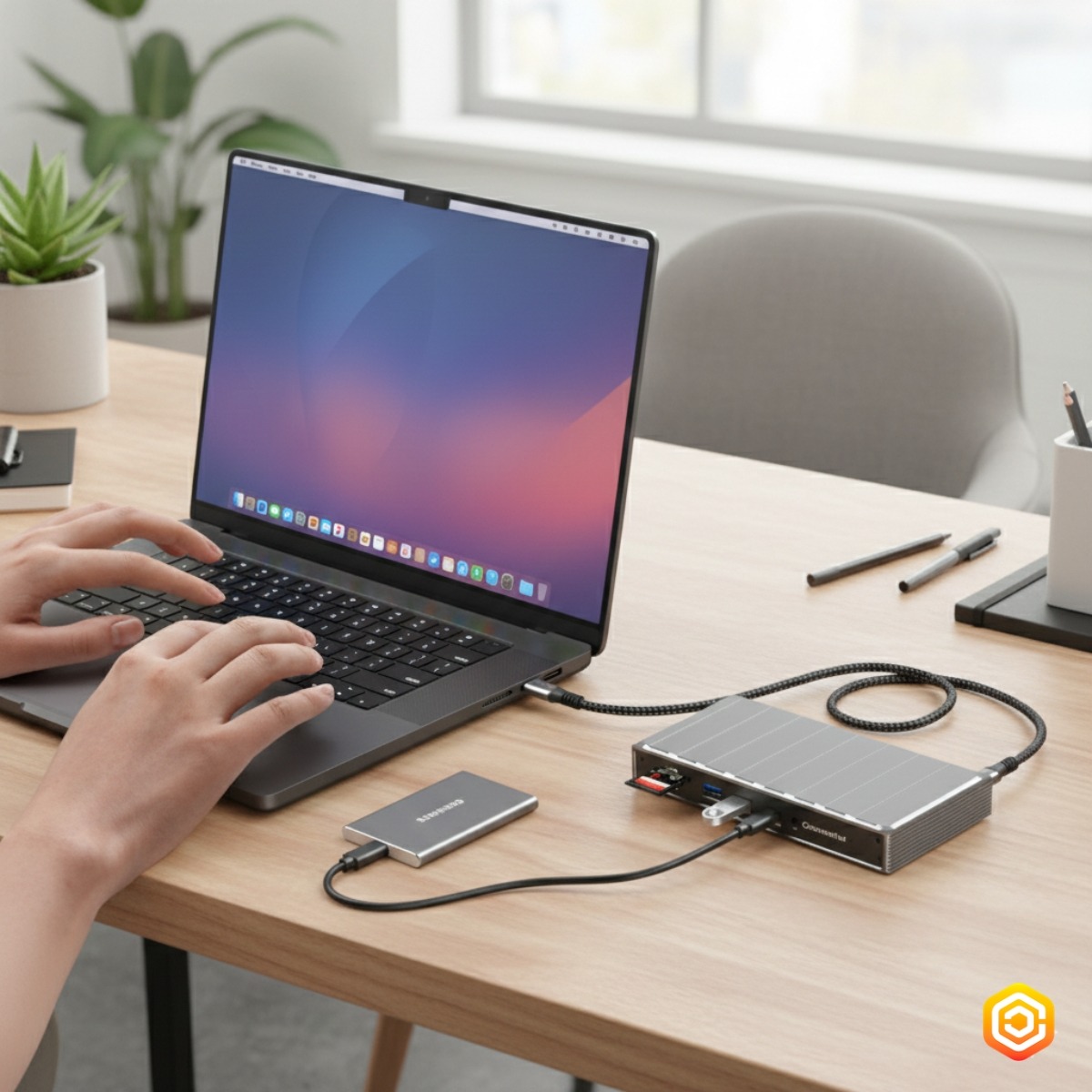
MacBook M1 M2 multi-monitor setup with Casecentive DisplayLink docking station

Contents

The introduction of Apple’s M1 and M2 chips brought major performance improvements, but also one well-known limitation: MacBook Air and MacBook Pro models with M1 or M2 officially support only one external display. Fortunately, there is a professional solution that removes this limitation entirely.

Why does the MacBook Pro / Air with M1 / M2 chip only support one external display?

Apple designed the base M1 and M2 chips with a single external display pipeline. Unlike older Intel-based MacBooks, the limitation is not caused by the USB-C ports themselves, but by the GPU architecture inside the chip. Only the M1 Pro, M1 Max, M2 Pro and M2 Max models support multiple displays natively.

This means users of MacBook Air M1/M2 and MacBook Pro 13-inch M1/M2 need an alternative solution to use multiple monitors.

How to connect two or three external displays to a MacBook M1 / M2

By using a docking station with DisplayLink technology, you can bypass the native display limitation. DisplayLink uses a virtual GPU to enable multiple extended displays over a single USB-C connection.

The Casecentive 13-in-1 USB-C DisplayLink Docking Station allows you to connect up to three external monitors to MacBook M1 and M2 models — fully extended, not mirrored.

How to connect the Casecentive DisplayLink docking station

Connecting the Casecentive dock is simple:

  • Connect the docking station to your MacBook using the included USB-C cable
  • Connect your monitors via HDMI and/or DisplayPort
  • Install the DisplayLink driver
  • Restart your MacBook

After installation, macOS will detect all connected monitors as independent external displays.

How many displays does the Casecentive 13-in-1 docking station support?

The Casecentive 13-in-1 USB-C DisplayLink Docking Station supports:

  • 1× HDMI 8K@30Hz (DP Alt Mode)
  • 1× HDMI 4K@60Hz (DisplayLink)
  • 1× DisplayPort 4K@60Hz (DisplayLink)

This allows up to three external displays simultaneously on MacBook M1 and M2 systems.

Want to learn more about docking stations and multi-monitor setups?

How does DisplayLink technology work?

DisplayLink works by compressing video data and transmitting it over USB-C. A dedicated driver on your MacBook decodes this data and renders it as additional displays.

This makes it possible to use multiple extended monitors even on systems that normally support only one external screen.

Download the official DisplayLink driver for macOS

What are the benefits of DisplayLink?

  • Enables multiple external displays on MacBook M1 and M2
  • Works with macOS, Windows, ChromeOS and Linux
  • Supports extended (not mirrored) desktops
  • Ideal for productivity, trading, editing and multitasking

How do you set up multiple external monitors on macOS?

Once the monitors are connected and the DisplayLink driver is installed:

  • Go to  System Settings
  • Open Displays
  • Choose Extend Display
  • Arrange the monitors to match your desk setup

Each display can be used independently for different applications and workflows.

Which docking station do you need for MacBook M1 / M2?

Not all docking stations support multiple displays on MacBook M1 and M2. You specifically need a dock with a built-in DisplayLink chipset.

The Casecentive 13-in-1 USB-C DisplayLink Docking Station is designed for professionals who need maximum screen real estate, fast networking, powerful charging and full connectivity — all through a single cable.

Installing a DisplayLink docking station

Do you want to use multiple external displays via a DisplayLink docking station? First, check your laptop’s manual to confirm that DisplayPort over USB-C is supported. If your laptop is compatible, installing your DisplayLink docking station is quick and easy.

Step 1. Prepare everything you need

Make sure everything is ready before you start, so you can get set up without interruptions:

  • Choose a workspace with enough room
  • Have your fully charged laptop ready
  • Set up your monitor(s)
  • Unbox the DisplayLink docking station
  • Make sure you have the correct HDMI or DisplayPort cables

Step 2. Download the DisplayLink software

Installing the correct software is required for DisplayLink docking stations. Always use the official drivers provided by Synaptics (DisplayLink).

Download DisplayLink for Apple (macOS)

Download the DisplayLink driver for Apple (macOS) here

Download DisplayLink for Windows

Download the DisplayLink driver for Windows here

ChromeOS

Using a Chromebook? You can skip this step. On ChromeOS, DisplayLink support is built in by default.

Step 3. Connect the dock to your laptop

DisplayLink docking stations connect via USB-A or USB-C.

  • Connect the docking station to a USB port on your laptop
  • If your laptop supports Power Delivery, it will start charging immediately

Step 4. Connect your monitor(s)

Step 4a. Connecting monitors on macOS

DisplayLink is the only technology that allows multiple external monitors to be used on MacBook models with M1 or M2 chips (depending on the docking station).

  1. Click  System Settings
  2. Go to Displays
  3. Set the desired resolution for each monitor
  4. Adjust the order of the displays using “Arrange”

Step 4b. Connecting monitors on Windows or ChromeOS

On Windows and ChromeOS, DisplayLink works immediately after installation.

  1. Go to Settings
  2. Click System
  3. Open Display
  4. Set the resolution and screen layout

Step 5. Complete your setup

Once your laptop and monitors are working, you can connect all accessories:

  • Connect a mouse, keyboard or USB drive via USB-A or USB-C
  • Use the SD or microSD card reader for media
  • Connect to stable wired internet using the Ethernet port
  • Plug in wired headphones or a microphone via the 3.5 mm audio jack

Your DisplayLink setup is now fu

  • 14 Jan 2026

Lilo and Stitch Mini Round Wafflemaker

Lilo & Stitch Waffle Maker

The Ultimate Waffle Maker for Disney Fans: Lilo & Stitch Edition

If you're a fan of Disney and love baking, the Lilo & Stitch Round Mini Waffle Maker is exactly what you need. This charming appliance combines nostalgia and practicality in one delightful package!

Table of Contents


What is the Lilo & Stitch Waffle Maker?

The Lilo & Stitch Round Mini Waffle Maker is a fun and functional kitchen appliance inspired by the beloved Disney movie “Lilo & Stitch.” It makes small, round waffles — perfect for quick snacks or to impress guests at your next gathering.

Design and Aesthetics: A Must-Have for Disney Fans

What makes this waffle maker special is the adorable design that immediately evokes the whimsical world of Lilo & Stitch. Whether you're a Disney collector or searching for a unique gift, this device brings joyful memories to life and invites sweet moments into your kitchen.

Functionality of the Waffle Maker

The mini waffle maker is more than just cute – it's incredibly user-friendly. With its compact size, it fits easily on any countertop, and the round waffles are simple to make – top them with chocolate, fruit, or powdered sugar for a personalized treat.

Why Buy This Waffle Maker?

  • A perfect gift for Disney enthusiasts
  • Delicious mini waffles in just minutes
  • High-quality construction and safe operation
  • A tribute to the iconic Lilo & Stitch film

Benefits of the Lilo & Stitch Waffle Maker

This waffle maker stands out with its combination of practical and delightful features:

  • Perfect mini waffles: Great for quick breakfasts and snacks.
  • Easy to clean: Non-stick plates wipe clean effortlessly.
  • Fast heat-up time: Ready to use in just a few minutes.
  • Energy efficient: Compact size means less energy usage.
  • Giftable design: Ideal for Disney fans and collectors.

Whether you want to brighten your mornings or surprise someone special, this waffle maker adds a magical touch to any kitchen.

Frequently Asked Questions (FAQ)

How big are the waffles it makes?
The waffles are about 10 cm (4 inches) in diameter — just right for single servings or small snacks.
Is it safe for kids to use?
Yes, with adult supervision. Its heat-resistant casing makes it relatively safe for family use.
Can I use this waffle maker for savory recipes?
Definitely! Try cheese waffles or even mini pizza bases — the options are endless.
Is it easy to store?
Yes, the compact design allows it to be stored in most kitchen drawers or cupboards.
How long does it take to preheat?
It typically takes 2 to 3 minutes to fully preheat and be ready for use.

Conclusion

The Lilo & Stitch Round Mini Waffle Maker isn’t just another kitchen appliance — it’s a source of joy, creativity, and childhood memories. Whether you’re a longtime Disney fan or just love adorable kitchen gadgets, this waffle maker checks all the boxes: it’s practical, easy to use, and heartwarmingly charming. Add a little magic to your mornings and make every waffle a moment to remember.

Order now and start your day with a smile!

  • 29 Dec 2025

RGB problems with your Ranqer gaming chair? Here's how to fix them quickly!


RGB issues with your Ranqer gaming chair? Here’s how to fix it quickly!

It may happen that you have fully assembled your Ranqer RGB gaming chair, but the RGB lighting does not turn on immediately. Don’t worry: in almost all cases, the chair is functioning correctly and you only need to check the connections and placement of the cables and power bank.

In this blog, we explain step by step what to check for both the Ranqer Halo RGB and the Ranqer Aura RGB.


RGB issues with Ranqer Halo

RGB lighting does not turn on after assembly

After assembling the Ranqer Halo RGB, there are cables coming from the seat and from the backrest that need to be connected. If the lighting does not turn on, it is important to carefully check these connections.

  • are the cables from the seat properly connected to the cables from the backrest
  • are all connectors fully and straight plugged in
  • are the cables not twisted or under tension

Take a moment to check the back of the backrest and firmly press the connections into place.

Check whether the cables are connected correctly

Sometimes the cables are connected, but not optimally placed. This can prevent the RGB lighting from receiving stable power.

  • make sure all connections are neat and straight
  • check that no cable is pinched between parts
  • press all connections firmly into place again

Power bank and placement for the Ranqer Halo

The RGB lighting of the Ranqer Halo works via a power bank. Always check:

  • whether the power bank is connected to the cable
  • whether the power bank is placed in the rear pocket of the chair
  • whether the power bank is switched on

Once everything is connected and placed correctly, the RGB lighting should work immediately.

Which cables does the Ranqer Halo RGB chair have

The Ranqer Halo RGB chair includes:

  • connection cables between the seat and the backrest (RGB connection)
  • a power cable connected to the power bank

All cables are part of the standard chair design and are pre-integrated.

Ranqer RGB Cables

RGB issues with Ranqer Aura

RGB lighting does not work

With the Ranqer Aura RGB, the lighting usually does not turn on when a connection needs to be checked. Carefully go through the connections.

  • check whether all RGB connections are firmly secured
  • check whether the cables are placed correctly and without tension
  • check whether the power supply is connected correctly

A careful recheck is often enough to activate the lighting.

Which cables does the Ranqer Aura RGB chair have

The Ranqer Aura RGB chair is equipped with:

  • connection cables between the seat and the backrest (RGB connection)
  • a power cable connected to the power bank

Make sure all connections are securely fastened before contacting support.

Ranqer RGB Cables

Final check and tip

If all cables are firmly and correctly connected, the connections are properly placed, and the power bank is correctly connected and switched on, the RGB lighting should work immediately.

Tip: Is the lighting still not working? Take a clear photo of the back of the backrest (where the cables are located). This allows support to quickly review and assist you.

  • 16 Dec 2025

Find your lost pet quickly with the Lifemate Life Tag

How to Find Your Lost Pet with the Lifemate Life Tag

Why Pets Run Away

Cats and dogs are naturally curious and may wander away from home, even if only for a short time. Indoor pets can slip outside unnoticed, and outdoor pets sometimes explore areas far beyond their usual surroundings. This behavior can make searching stressful – but with Lifemate Life Tag trackers, you always know where your pet is.

Find your pet with the Lifemate Tracker

Short Answer

The fastest way to locate your pet is by using a Lifemate Life Tag attached to the collar. The Lifemate app provides real-time location tracking and allows you to activate a loud alarm to call your pet when it’s nearby – for a quick and stress-free recovery.

Step-by-Step: How to Find Your Pet with Lifemate

  1. Open the Lifemate app: Launch the app to view your pet’s current location on the map.
  2. Check the last known location: Use the app to see the last recorded position and narrow down the search area.
  3. Activate the alarm: Trigger the tracker’s 100 dB alarm to call your pet if it’s nearby but out of sight.
  4. Follow the map: Use real-time location updates to move step by step toward your pet.
  5. Share the location: Send the live location to family, neighbors, or friends to speed up the search.
  6. Use multiple trackers: Attach additional trackers if you have multiple pets and monitor them simultaneously.

Why Lifemate Is Better Than AirTag / Others

Feature Lifemate Life Tag Apple AirTag
Network Google Find My / Android & iOS Apple Find My
Privacy Encrypted via the Lifemate system Encrypted via Apple
Water resistance IP67 IP67
Battery life 8–12 months ~1 year
Additional features Compact design, easy setup Ultra-Wideband, Precision Finding

Frequently Asked Questions (FAQs)

  • How long does it take to find a lost pet?
  • Does the tracker work everywhere in the EU?
  • Which tracker is best for pets?
  • How do I attach a Lifemate tracker to my pet’s collar?
  • Does Lifemate work with Android and Apple devices?
  • Can Lifemate notify me if my pet moves unexpectedly?
  • Is Lifemate waterproof?
  • How do I replace the Lifemate battery?
  • Can multiple Lifemate trackers be used at the same time?
  • Where can I buy Lifemate trackers in the EU?

Find more tips and guides in our other blog articles: How to set up Lifemate, General Lifemate FAQs, and AirTag vs. LifeTag: Which Bluetooth tracker is right for you?.

For more information or to purchase, please visit the Lifemate store page.

Finding What You’ve Lost:Bags, and Belongings with LIFEMATE

How to Find Your Lost Luggage – Fast & Easy Guide (2025)

How to Find Your Lost Luggage with Lifemate Life Tag

Why Suitcases and Bags Get Lost

Losing your suitcase is more common than you might think. Delays, busy airports, and luggage mix-ups all contribute to missing bags. Travelers often misplace their luggage during check-in, transfers, or while storing it in overhead compartments. Even careful travelers can experience lost luggage.

Quick Answer

The fastest way to locate your missing luggage is to use a Lifemate Life Tag tracker attached to it. Open the Lifemate app to see its location in real-time and use the built-in alarm if it’s nearby. Lifemate helps you recover your bags quickly and prevents future losses.

Step-by-Step: How to Find Your Luggage with Lifemate

  1. Open the Lifemate app: Launch the Lifemate app on your smartphone to see the real-time location of your luggage.
  2. Check the last known location: View the GPS coordinates logged by your Lifemate tracker to quickly identify where your luggage was last detected.
  3. Use the tracker’s alarm: Activate the 100 dB alarm through the app to locate your luggage if it’s nearby, even in crowded areas like baggage claim or hotel lobbies.
  4. Share location if needed: Share the tracker’s location directly from the app if someone else can help retrieve your luggage faster.
  5. Use 2-pack trackers for multiple suitcases: Attach the Apple 2-pack or Android 2-pack to all your bags for simultaneous tracking.

Why Lifemate is Better than AirTag / Others

Feature Lifemate Life Tag Apple AirTag
Network Google Find My / Android & iOS Apple Find My
Privacy Encrypted via Lifemate system Encrypted via Apple
Waterproofing IP67 IP67
Battery Life 8–12 months ~1 year
Extra Features Compact design, easy setup Ultra-Wideband, Precision Finding

FAQs

  • How long does it take to find a lost suitcase?
  • Can airports track my luggage?
  • What is the best tracker for suitcases?
  • How do I attach a Lifemate tracker to my bag?
  • Does the Lifemate work with both Android and Apple devices?
  • Can Lifemate alert me if my luggage moves unexpectedly?
  • Is Lifemate waterproof?
  • How do I replace the Lifemate battery?
  • Can multiple Lifemate trackers be used together?
  • Where can I buy Lifemate trackers in the EU?

Travelers who want extra assurance can check out our other blogs: How to set up Lifemate, General Lifemate FAQ, and AirTag vs LifeTag: Which Bluetooth Tracker is Best for You?.

For more options or to purchase, visit the main Lifemate store page.

How to remove greasy fingerprints from your car display – and why WHOOSH! is the only right choice

Car display cleaning

Modern cars are full of digital displays: infotainment, navigation, and climate control – all via touchscreen. Convenient, but in no time they’re covered with fingerprints and dust. Discover why WHOOSH! is the solution for a streak-free clean car display – and why other brands simply can’t compete.


Table of Contents


Why you shouldn’t use regular cleaning products

Many people just grab some glass cleaner or kitchen paper. Mistake! Ordinary cleaners contain alcohol, ammonia, and harsh chemicals that damage the delicate coating of your display. This causes the screen to lose its shine, develop spots, or become less responsive to touch.

  • ❌ Alcohol or ammonia damages the protective layer
  • ❌ Residues attract dust
  • ❌ Streaks and dull spots are hard to remove

What you need is a safe, residue-free, and alcohol-free cleaner developed specifically for electronics – like WHOOSH!.

The secret of Apple – WHOOSH! explained

Did you know that Apple uses WHOOSH! in its stores worldwide? Their screens must be spotless – without smudges or damage. The WHOOSH! formula is 100% free from alcohol, ammonia, dyes, and fragrances, yet gives your screen a shine like it’s fresh from the factory.

Thanks to its antistatic and streak-free formula, your screen stays clean longer and never feels greasy. Ideal for car displays, tablets, smartphones, and laptops.

How to clean your car display – explained by car brand

Each car brand uses different coatings and finishes for their screens. That’s why each one requires a specific cleaning method. Here’s how to safely clean your car display with WHOOSH! – without scratches, streaks, or damage.


How to clean your Tesla display

Tesla screens are large, crystal clear, and prone to fingerprints. Use WHOOSH! with a soft microfiber cloth for a spotless result.

  • Turn off the display or activate “Screen Clean Mode.”
  • Spray WHOOSH! onto the cloth, not directly on the screen.
  • Wipe gently in smooth motions – without pressure.
  • Polish with a dry corner of the cloth for extra shine.

Tesla’s screen coating is sensitive to alcohol and ammonia. WHOOSH! is completely alcohol-free and specially designed for delicate surfaces.


How to clean your BMW display

BMW screens with a high-gloss finish quickly attract dust and fingerprints. Clean them easily with WHOOSH! for a streak-free result.

  • Turn off the engine so the screen stays cool.
  • Apply WHOOSH! to the cloth, not directly on the screen.
  • Wipe in circular motions and polish afterward.

Thanks to WHOOSH!’s antistatic formula, your screen stays cleaner and dust-free for longer.


How to clean your Mercedes-Benz display

Mercedes screens are curved and have sensitive coatings. Always use WHOOSH! for safe, residue-free cleaning.

  • Apply the product to the cloth, not the screen.
  • Wipe from the inside out to prevent moisture buildup.
  • Let the screen dry briefly for a perfect shine.

Unlike other cleaners, WHOOSH! leaves no greasy film and is 100% safe for coatings.


How to clean your Volkswagen display

Volkswagen screens have a smooth top layer that easily shows smudges. WHOOSH! removes grease and dust without streaks or gloss enhancers.

  • Use light pressure for an even result.
  • Avoid products containing alcohol or silicone.
  • Polish with a dry cloth for a natural shine.

With WHOOSH!, your screen keeps its original look – clear, clean, and professional.


How to clean your Audi display

Audi screens combine glass with haptic touch technology. WHOOSH! cleans thoroughly without affecting touch sensitivity.

  • Wipe in one direction (from left to right) for even cleaning.
  • Use only a small amount – a thin layer is enough.
  • Polish with a dry cloth for a streak-free finish.

WHOOSH! ensures a clear, spotless display with no residue that interferes with touch sensitivity.


Extra tip for all car brands

Always keep a pack of WHOOSH! wipes in your car. That way, you can clean quickly on the go – no streaks, no spray, no risk.


Comparison: WHOOSH! vs. other brands

Let’s be honest: there are countless cleaners on the market – from cheap bottles to big-name brands. But how do they really compare to WHOOSH!?

Feature WHOOSH! With alcohol With chemicals Cheap store brand
Alcohol-free ✅ Yes ❌ No ❌ No ❌ No
Antistatic effect ✅ Yes ❌ No ❌ No ❌ No
Approved by Apple ✅ Yes ❌ No ❌ No ❌ No
Residue-free result ✅ Yes ❌ No (leaves film) ❌ Sometimes streaks ❌ Often streaks
Safe for touchscreens ✅ Yes ⚠️ Limited ⚠️ Glass only ❌ No

Conclusion: WHOOSH! is the only cleaner that truly gets your display spotless – without risk of damage. No alcohol, no streaks, no worries – just a crystal-clear screen.

The best WHOOSH! products for your car

Whether you drive a Tesla, BMW, Volkswagen, or Peugeot – WHOOSH! has the perfect product for your infotainment system:

Step-by-step: How to properly clean your car display

  1. Turn off the display – this helps you see the smudges better.
  2. Spray WHOOSH! onto a microfiber cloth, not directly on the display.
  3. Wipe gently in circular motions.
  4. Polish with a dry corner of the cloth.
  5. Enjoy a streak-free, shiny display – just like new.

SB Supply – exclusive distributor of WHOOSH! in Europe

SB Supply is the exclusive importer of WHOOSH! in Europe. We bring the officially Apple-approved screen cleaner straight to your car, office, or device. Whether ordering individually or in bulk – our team is here for you.

Discover the WHOOSH! revolution today and experience the difference between clean and truly clean.

View all WHOOSH! products at SB Supply

Bluetens Duo Sport & Accessories: Pain Relief & Regeneration

Bluetens Duo Sport & Accessories: The Perfect Combination for Pain Relief and Fast Recovery

SB Supply Banner

Whether after a marathon, during daily training, or dealing with tension from office work – muscle pain and fatigue are part of life for many. But there’s a smart, drug-free solution: the Bluetens Duo Sport. This portable TENS and EMS device not only helps relieve pain but also actively supports muscle recovery – especially when combined with the right accessories.

Your Personal Recovery Assistant: The Bluetens Duo Sport

The Bluetens Duo Sport is more than just a simple pain relief device. It combines TENS (Transcutaneous Electrical Nerve Stimulation) and EMS (Electrical Muscle Stimulation) in a sleek, user-friendly design. With just a few steps, you can apply it to different body areas to target tension, stiffness, or overuse. Whether you’re training, working from home, or traveling – this device fits in any bag and provides professional-level support wherever you need it.

Why the Right Electrodes Make All the Difference

The effectiveness of your Bluetens Duo Sport device depends heavily on the quality and fit of the electrodes. Smooth adhesion, even current distribution, and skin-friendliness are key – and this is where official Bluetens accessories truly excel.

Small Electrodes for Precise Treatment

For sensitive or smaller body areas such as the neck, wrists, or ankles, the Bluetens Small Electrodes (12 pieces) are ideal. These 5x5 cm pads are gentle on the skin and allow for precise stimulation. Thanks to their easy application and pleasant effect, they’re perfect for anyone suffering from localized muscle tension. The electrodes can be used up to 20–30 times – replace them once they lose their adhesive strength.

Larger Area, Stronger Effect: M Electrodes

If you want to treat larger muscle groups such as thighs, back, or shoulders, the Bluetens Pack of Electrodes M is the better choice. The larger electrodes provide wider coverage and deeper penetration of electrical impulses – perfect after intense workouts or to stimulate blood circulation.

Special Electrodes for Active Lifestyles

Bluetens takes it a step further and offers specially shaped electrodes for different needs – ideal for athletes, surfers, or fitness enthusiasts.

ABS Electrodes: For Defined Abs

If you want to enhance your core training, try the Bluetens ABS Electrodes set. The specially shaped pads fit perfectly on the abdomen and target the muscles effectively – a great complement to traditional training or for activating tired muscles after competition.

Surf Electrodes: For Shoulders and Arms

Outdoor athletes also benefit: the Bluetens Surf Electrodes are specially designed for the shoulder, arm, and upper body areas. Ideal for surfers, climbers, or rowers who often experience strain in these zones. The ergonomic shape ensures a secure fit – even during movement.

Even More Power with the Bluetens Power Pack

To make your device even more efficient, there’s the Bluetens Power Pack. This upgrade package includes everything you need to intensify your therapy: extra electrodes, convenient storage, and extended features. Whether as a starter kit or an expansion – the Power Pack makes your Bluetens Duo Sport even more versatile.

Conclusion: Everything You Need for Your Well-being – in One Line

The Bluetens Duo Sport is the core of an intelligent recovery system. Combined with the Small Electrodes, the M Electrodes, the ABS Electrodes, the Surf Electrodes, and the Power Pack, it becomes the complete solution for pain relief, recovery, and muscle training.

Whether you’re a professional athlete, weekend warrior, or office worker with back pain – with Bluetens, you have a reliable, drug-free tool at your side. Order your set now and start your personal recovery journey!

  • 16 Oct 2025

The new MacBook Pro M5 – And a complete comparison of the M5 models and the M4 models!

New MacBook Pro M5

Apple has done it again. No show, no event — just a press release on October 15, a quiet update on the website, and a wave of reactions from tech fans around the world. The new MacBook Pro M5 is officially here. Even though the design is almost identical to its predecessor, the performance and internal upgrades are so significant that even the most indifferent user will take notice. For die-hard Apple fans, this doesn't feel like a small step, but the beginning of a new era where AI, computing power, and efficiency converge.

Table of Contents


An M5 chip that changes everything

The Apple M5 chip is the heart of the new MacBook Pro. It’s built on the third generation of 3-nanometer technology, delivering unprecedented efficiency.

Revolutionary AI performance

The true strength of the M5 lies in artificial intelligence. The chip features an upgraded 16-core Neural Engine and a completely new architecture with a Neural Accelerator in each GPU unit.

  • AI Speed: Up to 3.5× faster on AI tasks compared to the M4.
  • Future-ready: Designed for Apple Intelligence, including Siri, writing tools, and Image Playground.

Unmatched GPU and CPU power

  • GPU: 10-core GPU with up to 1.6× faster graphics performance.
  • CPU: 10-core CPU with 15% faster multithread performance than M4.
  • Memory bandwidth: Increased from 120 GB/s to 153 GB/s.

Design and display

The design remains familiar: Liquid Retina XDR, Mini-LED, and up to 24 hours of battery life. All ports (Thunderbolt 4, HDMI, SDXC, MagSafe 3) are still available.


Comparison: M5 (Base) vs. M4 / M4 Pro / M4 Max

Feature M5 (14”) M4 (14”) M4 Pro / M4 Max (14”/16”)
CPU10-core (4P+6E)10-core12–16 cores
GPU10-core + Neural Accelerators10-core20–40 cores
Neural Engine16-core (~3.5× faster)16-core16-core (higher performance)
Memory bandwidth153 GB/s120 GB/s410–546 GB/s
RAM options16 / 24 / 32 GB16 GB24–128 GB
SSD optionsUp to 4 TBUp to 2 TBUp to 8 TB
Display14.2” XDR (120Hz)14.2” XDR (120Hz)14.2” or 16.2” XDR (120Hz)
Battery lifeUp to 24 hours~22 hours18–22 hours
Ports3×TB4, HDMI, SDXC, MagSafe 3same as aboveTB5, HDMI, SDXC, MagSafe 3
Price (NL)from €1,829similarfrom €2,499+
AvailabilityOctober 22, 2025M5 Pro/Max from 2026

Which model is right for whom?

  • M5 (14”): Quiet, efficient, long battery life — ideal for AI & video.
  • M4 (14”): More affordable option for basic use.
  • M4 Pro/Max: For 3D rendering, Xcode builds, 8K video production.

Apple, where's my charger?

Unfortunately, MacBooks no longer include chargers.

Which charger does my MacBook need?

* USB-C chargers for Mac. Battery life may vary depending on usage and configuration. Please check the product page for charger information.

iPhone 17: How waterproof is it? Learn why a Catalyst case remains essential

The waterproof Catalyst case for iPhone 17 offers maximum protection against water, shocks, and dust. It secures your device in everyday life and during your adventures while maintaining an elegant and functional design.

Waterproof Catalyst Case iPhone 17

Table of Contents

  1. Why Use a Catalyst Case
  2. Main Benefits of Waterproof Cases
  3. Compatibility and Features
  4. Why Choose Catalyst for Your iPhone 17
  5. Conclusion

Why Use a Catalyst Case

Even though the iPhone 17 has an IP68 certification, this protection is limited against shocks, wear, or prolonged submersion. The waterproof Catalyst case complements this protection by:

  • Waterproof up to 10 meters, ideal for water sports and outdoor activities.
  • Protection against drops and shocks up to 2 meters.
  • A slim and elegant design that preserves the natural handling of your iPhone.

Main Benefits of Waterproof Cases

The Catalyst cases for iPhone 17 stand out with the following unique features:

  • IP68-certified waterproofing: Secure submersion for your smartphone.
  • Shock absorption: Protects the screen and body of your iPhone.
  • High-quality materials: Lightweight, durable, and transparent to showcase your phone optimally.
  • Compatibility with wireless charging: Use MagSafe and fast charging without removing the case.

Compatibility and Features

The Catalyst cases are designed so that all functions of the iPhone 17 remain fully accessible:

  • Full access to buttons, ports, and speakers.
  • Compatible with MagSafe and wireless charging.
  • Protection against dust and sand during outdoor activities.

Discover the entire Catalyst product range and more iPhone accessory models at SBSupply iPhone Accessories.

Why Choose Catalyst for Your iPhone 17

With Catalyst, you choose:

  • Reliable and robust protection for your device.
  • An elegant design that does not compromise the aesthetics of the iPhone.
  • Peace of mind during everyday and extreme activities.
  • A sustainable investment, as Catalyst cases are designed for long-lasting durability.

Conclusion

The waterproof Catalyst case for iPhone 17 is more than just an accessory: It offers comprehensive protection for your smartphone. Whether for outdoor activities, water sports, or everyday use – Catalyst ensures maximum safety with modern and practical design. Discover all models at SBSupply - Catalyst and find the perfect case for your iPhone 17.

Apple watch Ultra 3: Strength, precision and innovation in one device

Image description

Apple Watch Ultra 3: Performance, Precision, and Innovation in One. With the Apple Watch Ultra 3, Apple once again sets new standards in the world of smartwatches. While previous models already impressed with their robustness and versatility, the Ultra 3 takes it a step further. The watch combines an improved design, longer battery life, and intelligent health sensors with new features that appeal to adventurers, athletes, and professionals alike.


Design and Build Quality

The Apple Watch Ultra 3 stays true to its distinctive and rugged look. The titanium case ensures maximum durability while still feeling surprisingly light on the wrist. The larger and brighter display with thinner bezels makes reading information easier – even in direct sunlight. Thanks to sapphire glass, the Apple Watch Ultra 3 is also better protected against scratches – a major advantage for those who use the watch under extreme conditions.

Apple has made the watch water- and dust-resistant up to 100 meters, making theApple Watch Ultra 3 perfect for diving, swimming, or adventurous expeditions in demanding environments. It’s clearly a watch built to withstand a lot – ideal for anyone who likes to test their limits.

The Most Important New Features

1. Enhanced Health and Fitness Features

With the Apple Watch Ultra 3, Apple places a stronger focus on health. The watch introduces advanced hypertension alerts that can provide early indications of your blood pressure. This is valuable for both athletes and health-conscious users. The new sleep evaluation also offers deeper insights into the quality of your sleep, helping you make more informed decisions about your recovery.

Proven features like ECG, heart rate monitoring, and blood oxygen measurement remain, but the Apple Watch Ultra 3 clearly takes health tracking to a new level.

2. Longer Battery Life

The battery lasts up to 42 hours with normal use and even up to 72 hours in power-saving mode. This means you can go several days without charging – perfect for long hikes, weekend trips, or busy workdays. Thanks to fast charging, you can also get enough power for a full day in just 15 minutes.

3. New Sensors and Software

The accuracy of the GPS has been further improved, providing even more precise measurements when running, cycling, or hiking. Also new is the Workout Buddy – an intelligent software feature that coaches and motivates you during your workouts. It’s like having a personal trainer on your wrist who cheers you on and gives you tips.

4. Satellite Communication

Perhaps the biggest innovation is the introduction of satellite communication. This allows you to send emergency messages or share your location – even without cellular reception. For adventurers, climbers, or travelers in remote regions, this represents a major leap forward in safety.

Comparison with Previous Models

Apple Watch Ultra 2: Although the Ultra 2 was already an impressive smartwatch, the Apple Watch Ultra 3 stands out with longer battery life, a brighter display, and additional health and safety features. The satellite communication, in particular, makes the difference here.

Regular Apple Watch Series: Perfect for everyday use, but they lack the rugged build, extended battery life, and special functions that make the Ultra series unique. For true adventurers and ambitious athletes, the Apple Watch Ultra 3 remains the better choice.

Who Is the Apple Watch Ultra 3 For?

The Apple Watch Ultra 3 is clearly designed for users who want more than a standard smartwatch. For example:

  • Adventurers who use their watch under extreme conditions – from diving to mountain climbing.
  • Athletes who value precise data, coaching, and intelligent training analytics.
  • Health-conscious users who benefit from features like blood pressure alerts, sleep reports, and continuous monitoring.
  • Professionals and travelers who rely on long battery life and the added safety of satellite communication.

It’s also a logical choice for dedicated Apple fans who always want the newest and best.

Conclusion: Value for Money

The Apple Watch Ultra 3 is a premium smartwatch with a correspondingly high price, but the added value is clearly noticeable. It offers a unique combination of style, durability, health tools, and safety. Especially for people who travel a lot or play sports, it’s an investment that pays off every day.

While the regular Apple Watch remains ideal for everyday use, the Apple Watch Ultra 3 is unmistakably a watch for those who want more and push their limits. The longer battery life, new sensors, and satellite communication make it not only practical but, in some situations, even life-saving.

In short: The Apple Watch Ultra 3 is much more than just a gadget – it’s a reliable companion for sports, work, and adventure. A watch that proves innovation and practical usefulness can go hand in hand.

Loading...
Loading...
TOP